AI Resume Screening Automation: How to Build It in 2026

Nov 14, 202615 min read
Think of this automation as a sequence that moves candidate data from a storage folder through a reasoning engine to a tracking sheet.
AI resume screening is the practice of using large language models to evaluate candidate data against standardized rubrics, creating a structured pipeline that automates initial qualification to ensure consistent, objective scoring across all applications.
Activepieces connects these stages so recruiters avoid opening every individual PDF. The system evaluates every applicant against the same rubric before a human sees the file.
AI resume screening automation is a three-step data pipeline
The trigger: How resumes enter the system
When the system detects a new file in a monitored source, such as a Google Drive folder or a Dropbox directory, the pipeline begins.
This event is the "Trigger," signaling the automation to fetch the document and extract its text so an external model can process the contents.
The illustration below demonstrates this initial handoff. A Google Drive folder receiving a PDF initiates the sequence, followed by an OpenAI logo processing the text block, and finally a Google Sheet row receiving the data.

This flow is designed to reduce the risk of candidates being left in a "black hole" of unread files, though oversized attachments can still slip through unprocessed. Once the system captures the text, it moves to the evaluation phase.
How LLMs score resumes against job criteria
To compare the extracted resume text against a specific job description and a structured scoring rubric, the analysis stage uses a Large Model (LLM).
For high-volume roles where speed is the priority, a model like GPT-6 Luna or Gemini 3.5 Flash-Lite provides the necessary throughput to classify candidates in seconds.
The output: Where recruiters see the results
The final stage is a destination for the hiring team. This is often a new row in a Google Sheet or a record in Airtable.
Included in this "Output" are the candidate’s name, their calculated score, and a brief justification for the rating. This allows recruiters to sort the entire applicant pool by relevance instantly.
By centralizing these scores, the team can ignore the noise of unqualified applications and focus their energy exclusively on interviewing the top-ranked talent identified by the pipeline.
This takes minutes, not a project: automate it in Activepieces free.
Building the automated screening workflow in Activepieces
Activepieces places an Agent step alongside deterministic automation steps inside one flow definition, using a visual canvas to link document storage, AI reasoning, and spreadsheet logging into a single autonomous sequence.
While executive teams often expect recruiters to manually prompt LLMs for every applicant, this workflow automates the heavy lifting by triggering a rubric-based evaluation the moment a file hits a shared folder.
Judgment and rules run in the same flow, on the same engine, in the same run trace.
Open the flow builder, place an Agent step alongside a deterministic automation step in the same flow, then open the run trace, one execution logged, start to finish, not two systems bridged by a callback.
Judgment and rules run in the same flow, on the same engine, in the same run trace.
Setting up the Google Drive folder trigger
Assigning a unique Folder ID ensures the automation only reacts to new resumes rather than every document in the cloud. The pipeline begins with the Google Drive "New File in Folder" trigger, which monitors a specific directory dedicated to incoming applications.
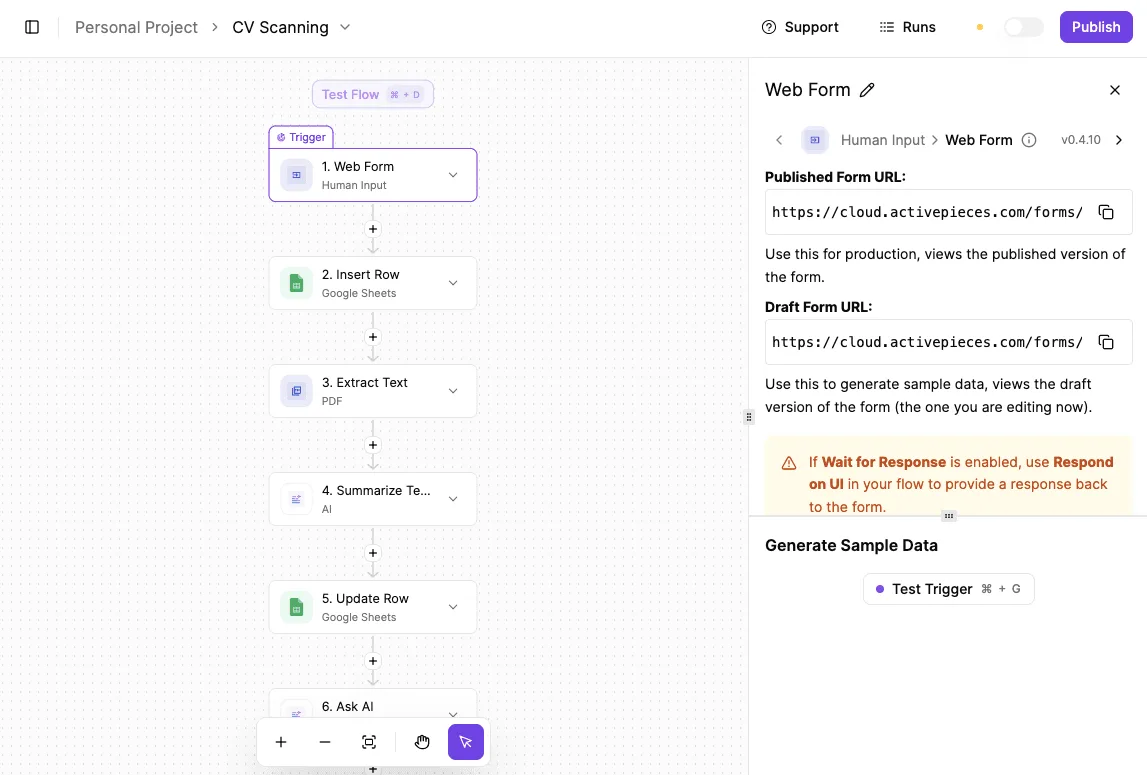
This prevents the system from burning API credits on unrelated administrative files. When a user uploads a PDF, Activepieces captures the file metadata and content to pass it to the next stage of the sequence.
Sending resume PDFs to OpenAI for scoring
The "Ask Assistant" action in the OpenAI integration receives the resume text and compares it against a standardized rubric using GPT-6 Astra.
This model has complex reasoning capabilities. These allow it to move beyond keyword matching to evaluate whether a candidate’s experience actually aligns with the senior-level requirements defined in the prompt.
Step 3: Log the candidate's name, score, and justification in Google Sheets
To record the candidate’s name, their numerical score, and the AI’s qualitative justification, the final action uses the Google Sheets "Insert Row" integration.
This centralizes the data so that a recruiter can sort by the highest scores at the start of their day, effectively ignoring the bottom 80% of the pile.
This step transforms the raw output of an LLM into a structured database, allowing the team to track hiring velocity and rubric accuracy over time.
Step 4: Testing the first live resume execution
Before activating the flow, the "Test flow" button allows the recruiter to run a sample resume through the canvas to verify that the logic holds.
The Activepieces builder displays the execution path in real-time, showing a green checkmark for successful steps or a red error message if a connection fails.
Every agent tool call, the data it acted on, and the order it made its decisions in is traced step by step, alongside the deterministic flow steps running next to it.
Check the Run Details and Debugging UI for the per-step agent decision trace, and the audit logs and event-streaming feature for how it exports to a SIEM.
You will see the exact input and output JSON for each step in the left panel. A recruiter can see exactly why a specific run might have failed (for example, an expired Gmail connection or an incorrectly mapped "Receiver Email" field).

The screenshot of the builder canvas demonstrates this visibility. The left panel shows the exact input and output JSON for each step.
A recruiter can see exactly why a specific run might have failed: an expired Gmail connection or an incorrectly mapped "Receiver Email" field are common causes.
If a run fails, the "Edit Run" button at the bottom is for immediate troubleshooting without losing the data from that specific applicant.
Once the test run confirms that the sheet logs the candidate's score and justification correctly, the flow is ready for production. To begin building your own recruitment pipeline, explore the available integrations at https://www.activepieces.com/pieces and start free.
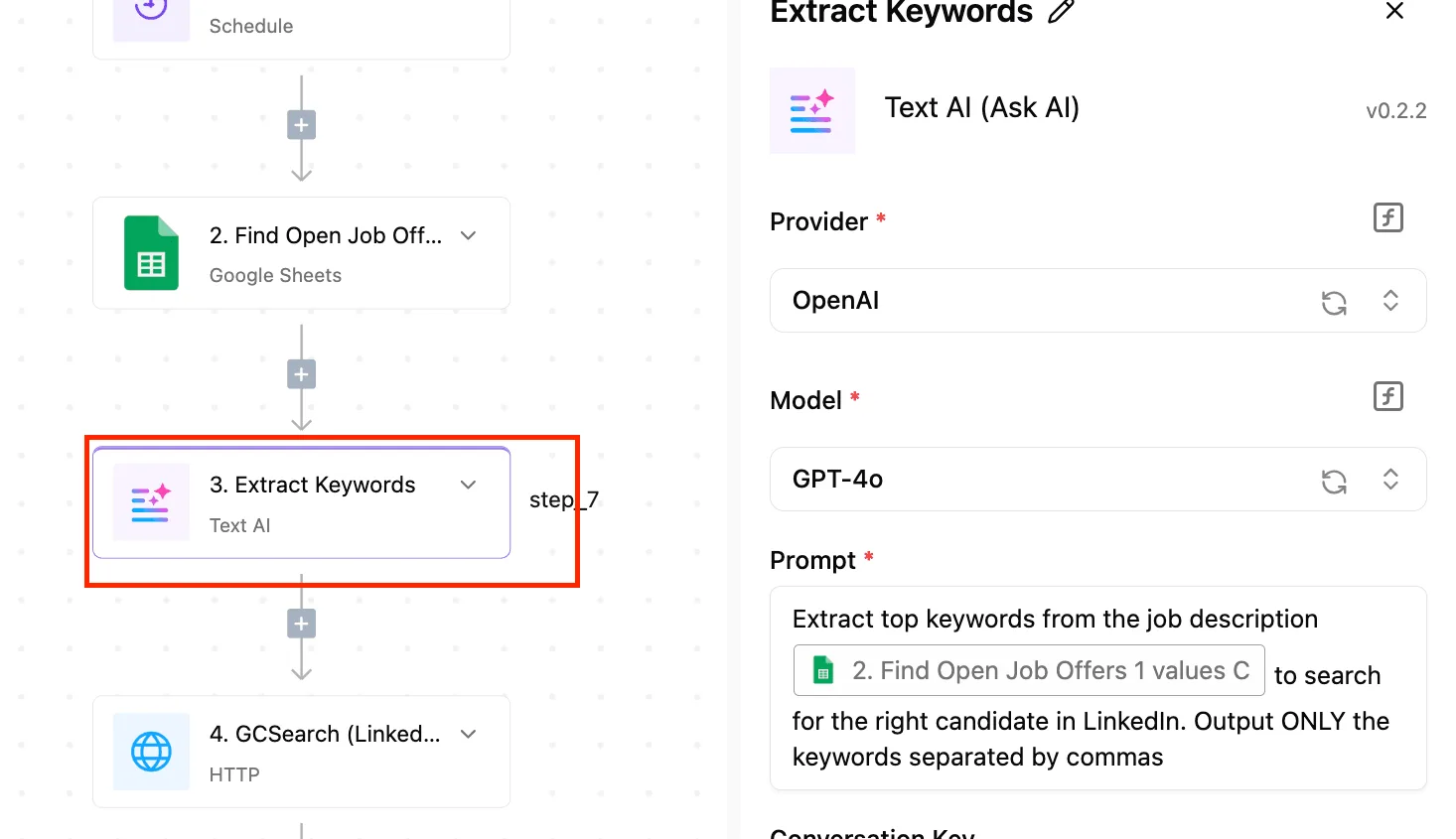
Comparing automation platforms for high-volume recruitment
Selecting an automation platform requires balancing the cost of processing thousands of candidate files against the technical flexibility needed to handle complex hiring rubrics.
While 72% of mid-market firms struggle with "automation sprawl," choosing a central orchestrator ensures that resume data flows consistently from an Applicant Tracking System (ATS) to a reasoning model like Claude Haiku 5.5 for instant grading, which eliminates the manual bottlenecks that typically delay hiring decisions, meaning talent acquisition teams can secure top candidates before competitors intervene.
This means HR departments can eliminate the bottleneck of manual candidate screening.
The choice of platform dictates how many resumes you can screen before hitting technical limits or budget caps.
| Platform | Monthly Cost (2k tasks) | Max File Size Support | Prompt Versioning Method |
|---|---|---|---|
| Activepieces | Custom / Self-host | 100MB+ (Self-hosted) | Git / Project Branches |
| Zapier | $19.99/month (Professional) | 100MB | Version History (Pro only) |
| Make | $10.59 (Core) | 50MB (Standard) | Manual Blueprint Export |
This comparison highlights that while entry costs vary, file size limits are often the true constraint for recruitment.
These determine if a high-resolution CV will crash the workflow. A tool with versioning allows you to audit exactly why a candidate was rejected under previous criteria when you update your scoring rubric.
Zapier: Best for simple, low-volume tasks
Zapier is an interface for recruiters who need to connect a Google Form to a Slack notification without managing complex data mapping.
Because it supports over 9,000 integrations, it's the most likely tool to have a native connection for niche recruitment platforms like Jobvite or Lever.
According to Priceperprompt, the Professional tier starts at $49 per month for only 2,000 tasks, so users must carefully budget their usage to avoid hitting a hard cap before the billing cycle ends.
A high-volume campaign with multiple steps per candidate will quickly exhaust the budget. Its linear logic is ideal for "if this, then that" triggers.
The system is difficult to manage when five different department rubrics must score a single resume simultaneously.
Make: For complex multi-branch logic
Make, formerly Integromat, uses a visual canvas that allows users to build highly sophisticated routing logic. A user might send a candidate’s data to Gemini 3.8 Flash for technical screening while concurrently checking their LinkedIn profile via an API.
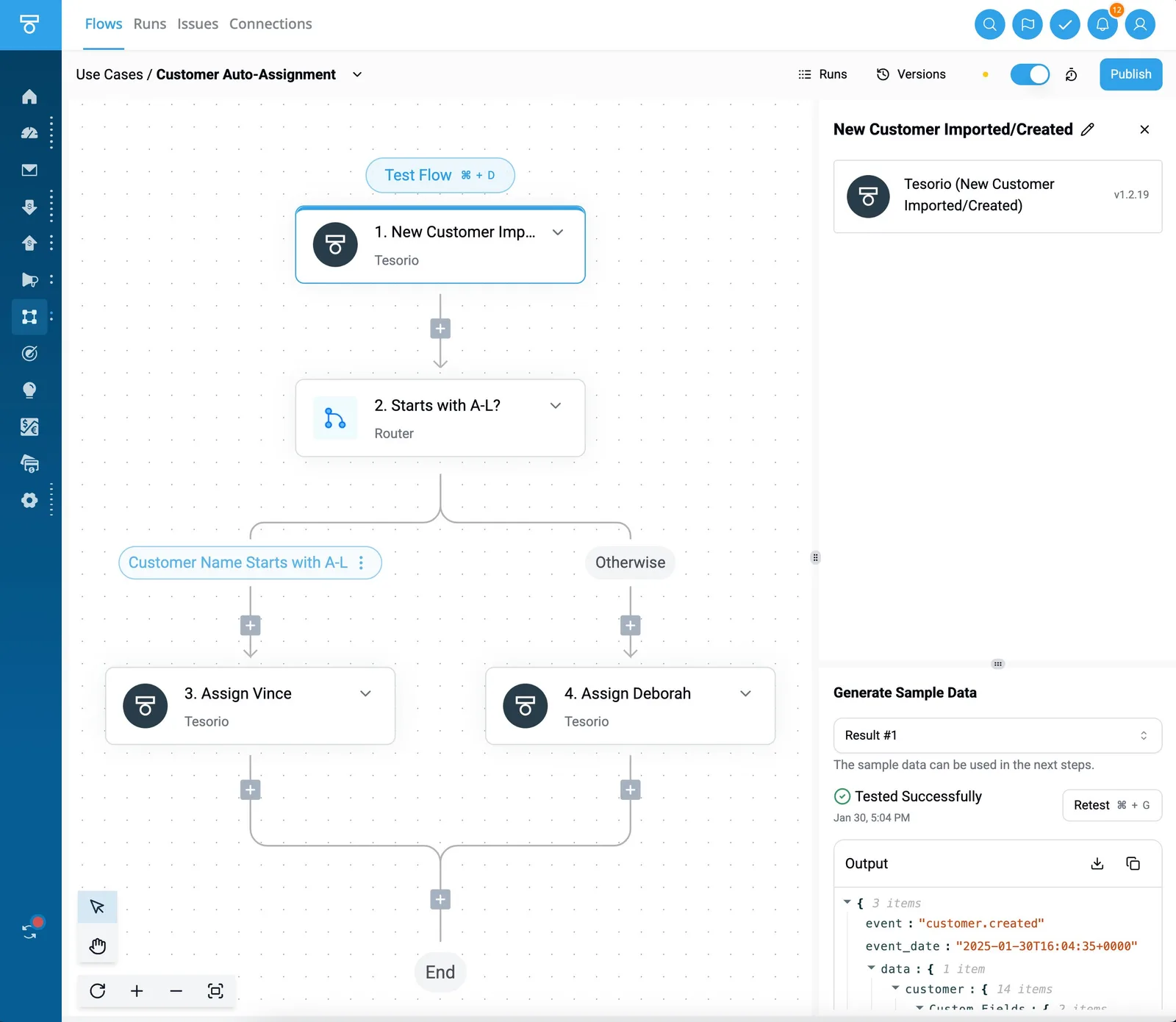
This multi-branching capability means one trigger can kick off dozens of parallel actions, which is essential for comprehensive background vetting.
The trade-off is a steeper learning curve. A recruiter without a data background may find the functions for parsing raw JSON data from a resume difficult to configure.
The 50MB file limit on standard plans may reject large portfolio PDFs, causing the automation to fail silently unless custom error handling is built into the scenario, leaving applicants unaware that their submissions were never actually processed, so they wait indefinitely for a response that will never arrive.
Scale automation securely and affordably
Activepieces runs the automation core under an MIT licence and can be self-hosted behind a private firewall for organizations handling sensitive candidate PII (Personally Identifiable Information).
MoneyGram and Moneypenny run Activepieces in production to manage complex automation environments where data residency is a priority. This deployment flexibility ensures that resume data never leaves your controlled environment. This helps meet strict GDPR requirements that third-party SaaS tools might trigger; Activepieces' SOC 2 program is in progress, with its penetration test summary, DPA, and sub-processor list available on request.
The "integrations" architecture is for modular updates to the screening logic. You can swap an older model for GPT-6 Luna without rebuilding the entire workflow.
For teams processing tens of thousands of applications, the ability to run unlimited tasks on your own infrastructure removes the "success tax" associated with per-task pricing models.
You can follow the rest of this with the builder open. Start free, no card.
Solving common errors in automated resume parsing
Reliable automated screening requires a pipeline that proactively catches formatting errors and enforces strict logical boundaries to prevent the system from inventing candidate qualifications.
When a recruiter moves a file into a watched folder in Google Drive or OneDrive, the automation must first validate the file integrity before passing data to the LLM.
Fixing image-based and unreadable resume PDFs
Automated workflows often stall when encountering "flat" PDFs. These documents are actually images rather than selectable text. This results in the LLM receiving an empty string and failing to generate a score.
To prevent this, the pipeline should route files through OCR 4.1. This is an optical character recognition service which extracts text from pixels so that the screening logic can process scanned resumes.
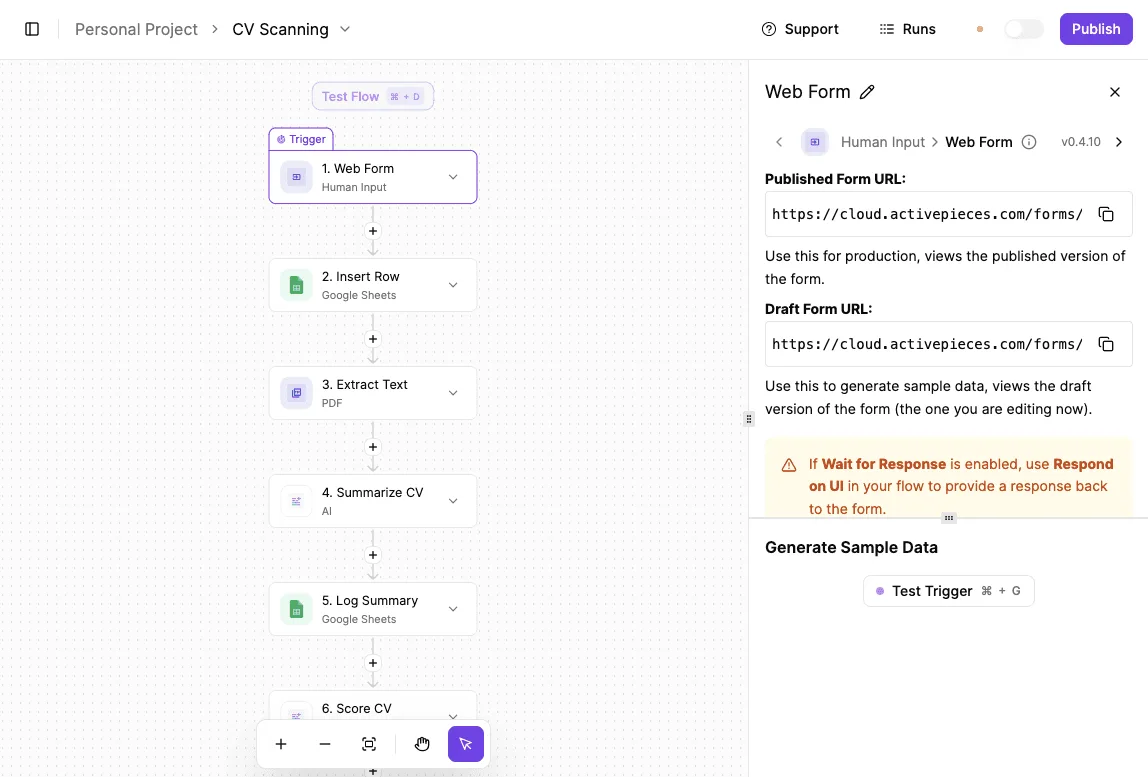
If the extraction yields a character count below a specific threshold, the system should trigger a Slack notification to the recruiter. This prevents candidates from being ignored simply because their document wasn't machine-readable.
Handling long CVs and LLM context limits
Standard screening models can lose track of early career details or specific certifications when processing overly long academic CVs that exceed their immediate processing memory.
Utilizing Gemini 4 Carbon, a flagship reasoning model with a massive context window, ensures that the entire document is analyzed in a single pass.
The final rubric score then reflects the candidate’s full history rather than just the most recent page.
For high-volume roles where cost is a factor, the workflow can instead use Claude Haiku 5.5 to summarize individual sections of the resume into a condensed profile. This allows the final evaluation to stay within the limits of faster, cheaper models.
Reducing bias through prompt engineering constraints
Unconstrained models may "hallucinate" or infer skills that don't exist based on a candidate's previous employer or university, leading to inconsistent scoring. The most effective safeguard is to use Gemini Decision 1. This model provides calibrated decision-making.
When combined with a "Chain of Thought" prompt, it requires the AI to cite the specific line number from the resume for every point awarded.
This constraint forces the model to act as a proofreader rather than a creative writer, so the hiring team can audit the logic behind every automated "Yes" or "No" decision.
Daily verification checklist for AI resume screening
Recruiters maintain oversight by executing a standardized verification sequence that checks the model’s logic against raw candidate data before any rejection emails are dispatched.
While GPT-6 Luna, a high-efficiency model designed for high-volume classification, can process thousands of resumes in minutes, it can't account for shifting internal hiring priorities without human calibration.
This manual bridge ensures that the "proofreader" logic remains aligned with the nuances of the specific role.
The operational sequence:
- Spot-check top 5 scores against PDFs
- Verify PII masking in logs
- Update rubric for 'False Positives'
- Export final shortlist to ATS
Building an audit trail for resume screening
This checklist provides a structured audit trail that transforms a black-box automated process into a defensible hiring workflow.
By reviewing the top-scoring candidates against their original PDFs, the hiring lead confirms that the extraction layer hasn't missed formatting nuances like multi-column layouts or creative headers.
Gemini 3.8 Flash often handles this layer for its enterprise-grade workflow efficiency.
The verification of PII (Personally Identifiable Information) masking in the execution logs is a critical compliance step.
It prevents sensitive data like home addresses or phone numbers from being stored in the prompt history of third-party models.
When a "False Positive" is identified, the recruiter must immediately refine the rubric's definitions to prevent the error from scaling. An example is a candidate scoring high on "leadership" despite only having internship experience.
Only after these three validation gates are passed should the recruiter trigger the export action to the Applicant Tracking System, such as Greenhouse or Workday.
This system is the final record for the interview loop.
Following this protocol prevents the "automation tax" where recruiters spend more time fixing bad AI data than they would have spent reading the resumes themselves.
Frequently asked questions
Compliance depends on configuring your pipeline to respect the "right to explanation." No automated decision should reach a final rejection without human oversight.
Under GDPR, a candidate has the legal right to contest a purely automated decision, so your workflow must present the AI’s rubric-based score as a recommendation for a recruiter rather than a terminal action.
By using the "human-in-the-loop" step in your automation builder, you create a verifiable audit trail showing that a person made the final hiring choice. This satisfies the requirement for meaningful human intervention.

Does AI resume screening comply with GDPR and CCPA?
By selecting LLM providers that offer enterprise-grade data isolation and setting specific retention policies within your automation platform, data privacy compliance is achieved.
When using the API versions of models like Claude Sonnet 5.5 or GPT-6 Astra, your data is typically excluded from the vendor's training sets.
Candidate PII remains within your private instance. You must also configure your automation to purge resume data from the pipeline’s temporary storage immediately after the score is pushed to your ATS.
This prevents sensitive documents from being stored in multiple unsecured locations.
How much does it cost to screen 1,000 resumes?
The total cost is determined by the "token" count of your resumes and the intelligence tier of the model you select for the task.
Using a high-reasoning model like Gemini 4 Carbon for complex executive roles will result in a higher per-resume cost due to the depth of analysis required.
Conversely, routing high-volume entry-level applications through a high-efficiency model like Claude Haiku 5.5 or Gemini 3.5 Flash-Lite significantly reduces expenses.
This allows you to process thousands of candidates for the price of a single recruiter's lunch hour.
Can the AI handle resumes in multiple languages?
Modern frontier models are natively multilingual and can evaluate a resume written in one language against a job description written in another without an intermediate translation step.
Because models like Mistral Large 4 and GPT-6 Astra understand the semantic meaning of professional experiences across different linguistic structures, they can apply a consistent scoring rubric to a global talent pool.
This capability eliminates the need for manual translation services. Your hiring team can identify qualified candidates from international markets immediately.
What happens if the automation fails mid-run?
To ensure that a single malformed PDF or a temporary API timeout doesn't halt the entire recruitment drive, a robust pipeline uses "Error Handling" branches.
If a model fails to return a score, the automation can be programmed to move that specific candidate into a "Manual Review" folder in your ATS while continuing to process the rest of the queue.
This prevents a bottleneck in your hiring process. The majority of your candidates are screened instantly even if one file requires technical troubleshooting.
Build it
Set this up in minutes.
No code required. Connect your accounts, and Activepieces runs it from there.
Start free Talk to sales