
Businesses in ChatGPT: Features and Pricing (2026)

Nov 12, 202610 min read
Announced on OpenAI on November 10, 2026, and labeled a beta, Businesses in ChatGPT's a new OpenAI offering. Everything here rests on that page, checked on 2026-11-12.
Businesses in ChatGPT launched on OpenAI's own page
Anything beyond it's inference, and I'll mark it as such, whether it comes from the announcement's own wording or from how comparable Activepieces style automation tools have been described elsewhere.
What OpenAI released and when
OpenAI published the announcement on November 10, 2026, under its own byline, and it opens with "We're introducing Businesses in ChatGPT in beta."
The beta label is the detail that matters for planning. Features, limits and access can change under you, so don't wire a production process to behavior the page doesn't state.
You can't subscribe to a trigger or map a field into another system from anything the page documents. Until it does, treat this as a product launch, not an integration surface.

Who it is for, per OpenAI
As the name says, the offering is aimed at businesses, and OpenAI frames it around the audience ChatGPT already has. For an automation team that means the people asking for it are inside your company, not waiting on a vendor roadmap.
You can't plan around hypothetical controls, though, so work from what the page confirms.
Treat the model call as one step among several. A flow built in Activepieces that passes a row through Claude, ChatGPT and Perplexity, writing back to a spreadsheet after each, shows the shape of what you can build.
Treat the model call as one step among several.
Activepieces is used by teams at companies including MoneyGram, Moneypenny, Alan and Funding Societies.
The trigger and the data live in your apps, and the model is a replaceable step.
That's the model to copy now, and the next section sets out how to connect it to your apps without waiting for more detail from OpenAI.
If you are running this arithmetic for your own team, see what the same workload costs on Activepieces.
Why the launch matters to teams automating work
If you run AI steps inside app workflows, you should care because OpenAI's page positions Businesses in ChatGPT as a product for companies. That makes it a new place where your AI steps could live or be called from.
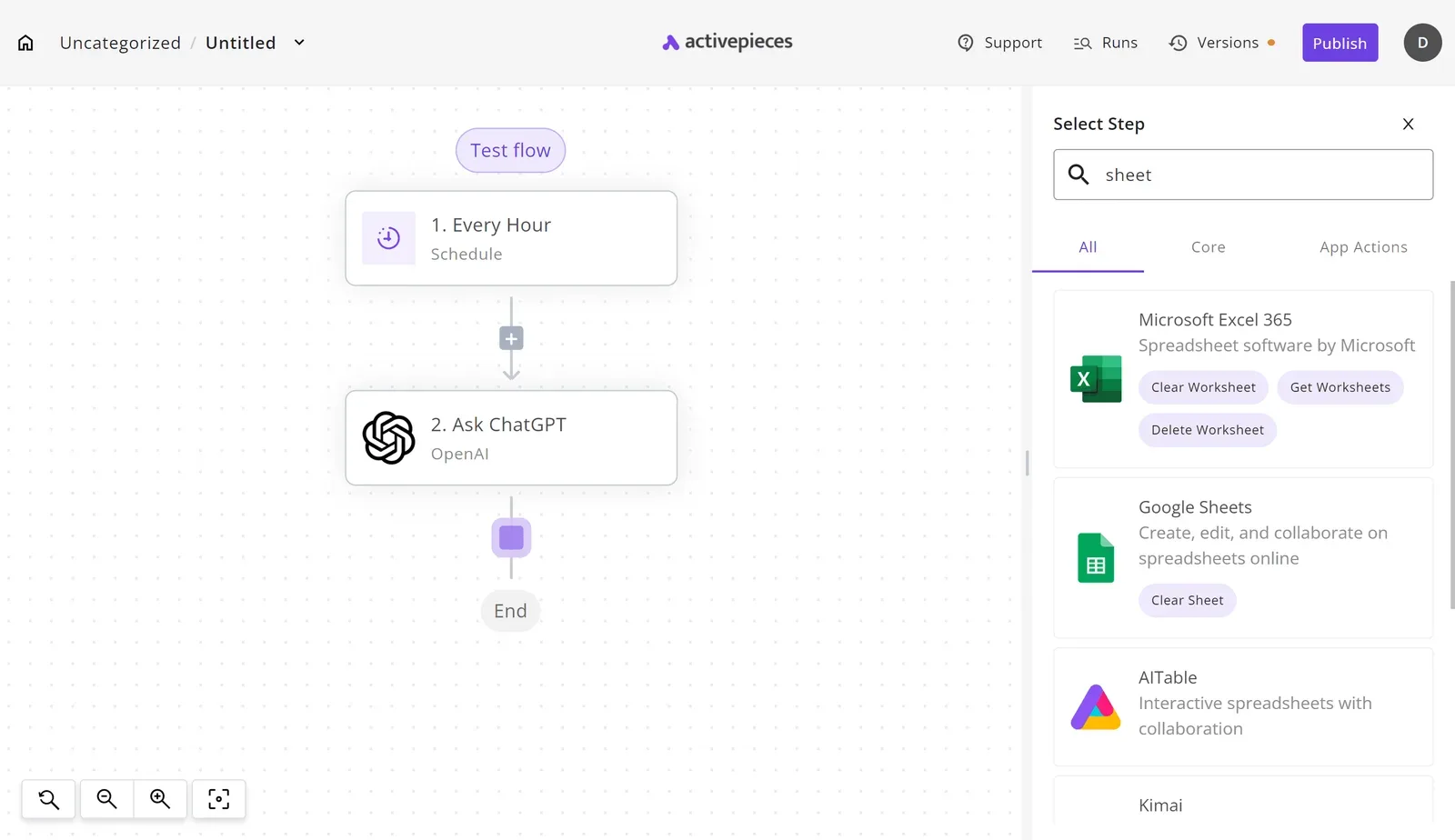
That's the model you were told to copy: treat the AI step as a replaceable part of a workflow, not the workflow itself. The page confirms only a few things, and each one limits how much weight to put on it.
- The page calls it a beta, so the behavior, limits and surface can change under you. Wire it in as a step you can swap out, and keep the trigger and field mappings on your side of the line.
- It launched this month. There's no track record, so an app workflow that depends on it has nothing to be tested against yet except your own runs.
- OpenAI states a very large weekly user base for ChatGPT. That's a claim about the consumer product, made by the vendor. It says nothing about how many businesses use this offering or how it behaves when a workflow calls it.
Read together, the page tells you the product exists, that it's early, and that OpenAI wants businesses on it. It doesn't say which triggers it exposes, what actions it can take in your apps, or what fields it reads and writes.
Those are the details that decide whether an integration works, and they're not on the page. The practical consequence is to build the connection yourself now, around the integrations you control.
What is measurably new, from OpenAI's facts only
What you can build against today is only what OpenAI's page states, checked on 2026-11-12, and that list is short enough that your own integrations have to carry the rest.
What Businesses in ChatGPT is and access
No trigger, no action and no field mapping is named anywhere on the page. What it announces is a launched product, aimed at business use and reached through ChatGPT itself.
The table shows what is confirmed against what you would need to wire a workflow, so treat any blank in it as work you own.
| Feature | What OpenAI states | How to get it |
|---|---|---|
| Status | Businesses in ChatGPT has launched | Open ChatGPT and look for it there |
| Release date | Only the launch announcement itself | No separate date to plan around |
| Audience claim | Built for businesses | Business accounts, as the page frames it |
| Access route | Inside ChatGPT | Through the ChatGPT interface, not a documented connector |
| Pricing | Not stated on the page | Nothing to quote a client |
Prices and plan limits checked against openai.com and activepieces.com on November 12, 2026.
Because everything in the access row sits in the interface, a workflow has nothing to call yet. Start from the apps you control and treat ChatGPT as one step in the chain.
With no price on the page, the pricing cell reads "not stated on the page." Any cost line in a proposal is your estimate, not OpenAI's.
It doesn't document an API surface, a list of supported apps, or the data a business account can reach. Without those you can't map fields or choose triggers. Don't scope work that depends on them.
Worth checking against a plan that does not meter every step: one credit covers a whole run on Activepieces.
What Activepieces has already shipped for it
Nothing announced yet
Nothing we can point at: our findings hold no Activepieces announcement, integration, or changelog entry that names Businesses in ChatGPT, so there's no dated link to give you.
What you can wire up today is the generic route, a workflow that calls the apps you already run. We haven't run this ourselves, so there are no test results here.
How integrations get switched on
Look at the admin Integrations page for the mechanism.
Take from it that an admin decides which connectors your users can reach, so a new integration is an integration you install and switch on, not something that arrives on its own.
The action you place as a step in a flow is the same integration action that the per-project MCP server lists as a tool, as the MCP Server documentation lays out, so Claude, ChatGPT or Cursor can call whatever you've connected without a second integration.

Until an integration for Businesses in ChatGPT exists, you would build the connection from a webhook trigger or an HTTP request step, mapping fields by hand. Check each field mapping against the API behavior OpenAI documents before you trust it.

What a prototype costs
You can build the prototype without a purchase order, because Activepieces charges $0 a month for Free. Plus is $20 a month, which is the step to take once one person's workflow becomes something others depend on.

Team is $200 a month, ten times Plus, so move there only when several people need to build and share flows, not to chase a feature that hasn't shipped.
Businesses in ChatGPT pricing and speed comparisons
With no published price and no speed claim for Businesses in ChatGPT, the only costs you can compare today are the seats and tokens you already buy.
ChatGPT Standard runs $20 to $25 per user per month, depending on annual or monthly billing, so most individuals must settle for free alternatives. Premium is $100 to $125.
Claude's Standard and Premium tiers list the same $20 to $25 and $100 to $125 on that page, so seat price will not pick your vendor. Pick on what the workflow does.
Side by side, the table sets the seat tiers, the new product and the API on the three things OpenAI publishes or leaves out.
| Published price | How access is obtained | Speed claim | |
|---|---|---|---|
| ChatGPT Business Standard | $20–25 per user per month | Per-user seat, billed annually or monthly | Not published |
| ChatGPT Business Premium | $100–125 per user per month | Per-user seat, billed annually or monthly | Not published |
| Businesses in ChatGPT | None published | No access path confirmed | Not published |
| API: GPT-6 Luna and Astra | See below | Called by API, billed per token | Not published |

On the API, GPT-6 Luna costs $0.1 to $0.5 per million tokens, so high-volume steps like classifying inbound tickets cost pennies. GPT-6.1 Terra is $1 to $5 and GPT-6.1 Sol is $2 to $10, making Terra the cheaper of the two.

GPT-6 Astra is $10 to $50, a hundredfold gap from Luna, which means Astra and Luna operate in entirely different market tiers. Reserve it for steps where a weaker model fails.
Without a speed figure or a per-task cost for Businesses in ChatGPT, no measurement exists yet. Build the workflow on the API and seats you can price now.
What to watch and build this week
Watch OpenAI's page for changes to pricing, availability and documentation, and this week build one small workflow that works whichever way they go. Pricing matters because the seat and API rates you planned around are what a revision would hit first.
Availability matters because a feature listed for some plans or regions isn't yours until your own account shows it. Documentation matters most: until the page says how Businesses reaches outside apps, anything past what it states is unconfirmed, and you shouldn't scope work against it.
Check the OpenAI action in your workflow tool, because it only helps if it exposes the fields you need to map, such as the model choice and the system prompt.
The steps below take one trigger you already run through to a posted result, and each one produces something you can inspect:
- Pick a trigger in an app you already use, such as a new form submission or a new support ticket.
- Add the OpenAI chat action to the workflow and map the trigger's fields into it.
- Write the prompt: one task, the exact fields it reads, and the format you want back.
- Send the output to Slack, the team chat tool, or to an email address, so a person sees it.
- Run it once on a real record and read the run log, checking which fields arrived empty and what the model was actually sent.
- Re-check OpenAI's page against what you just built.
An empty mapped field in step 5 is the usual failure, and it's cheaper to find on one record than on a hundred.
With a clean run behind you, any later change on OpenAI's page is a difference against a workflow that already works, not a reason to hold off.
Related reading
References
Running the numbers
See what the same workload costs here.
Free forever plan, and every paid plan self-hosts at no extra cost.
See pricing Talk to sales