
Claude Enterprise Automation: A Complete 2026 Guide

Nov 10, 202616 min read
Claude Enterprise automation is Claude doing repeatable work on a trigger or schedule, much as teams already wire up workflows in tools like Activepieces, inside identity, access and spend limits an admin set beforehand. The fastest path to a working automation is to configure those limits first and add one narrow automation second.
Claude Enterprise automation refers to the setup in which Claude carries out recurring tasks, started by an event or a schedule, under the single sign-on, permission and usage-cap settings that an organization's administrators have configured in advance.
Claude Enterprise automation is admin-controlled agent work
- Fix identity: single sign-on and role assignment, so every action traces to a named person.
- Fix access: decide which connectors and data each role can reach before anyone wires them up.
- Fix spend: set usage and budget limits, so a looping job hits a ceiling instead of a surprise invoice.
- Add one automation, scoped to one team, and widen it only after it runs cleanly.

When a rollout fails, it usually skipped step one, two or three, or misread a limit. A model such as Claude Opus 5.5, listed on Anthropic's models overview, can't compensate for a connector granted to the wrong group.
Here, automation means any Claude work that runs without a person approving each step. That covers a Project instruction set, a connector-fed workflow, a Claude Code job or an API call that Activepieces, whose core is MIT-licensed, makes when a trigger fires.
Read the list below for who controls each surface, and read admin visibility narrowly. It tells you who has access and what an admin configured. It doesn't tell you whether an output was correct.
- Workspace admins govern chat through sign-on, roles and org-wide settings.
- Whoever owns the Project controls it and its sharing permissions, within the admin's role limits.
- Admins control connectors and decide which are enabled and for whom.
- Admins control Claude Code access and spend, and each developer's local permissions control what it may run.
- The API is governed by whoever holds the keys and the spend limits on them.
Because each surface needs its own settings pass, the later sections take them in turn.
Treat anything older than 9 November 2026 as unverified, because Anthropic changes limits and settings often. Every vendor claim in this integration was checked on that day.
This takes minutes, not a project: automate it in Activepieces free.
Claude Enterprise pricing and what the plan includes
Enterprise has a published price on Anthropic's pricing page: US$20 per seat per month, billed annually, with a 20 seat minimum, plus usage at API rates, as read from Anthropic's pages on 10 November 2026. Budget Enterprise from the published seat price plus usage at API rates.
All three tiers have prices you can check today, though Enterprise usage is billed at API rates. The table shows how each is billed.
| Tier | Seat price and minimum | How usage is billed |
|---|---|---|
| Team | $25 monthly, $20 annual; 2-150 seats | Per seat |
| Enterprise | US$20 per seat per month billed annually; 20 seat minimum | Seat price plus usage at API rates |
| API | No seats | Per token |
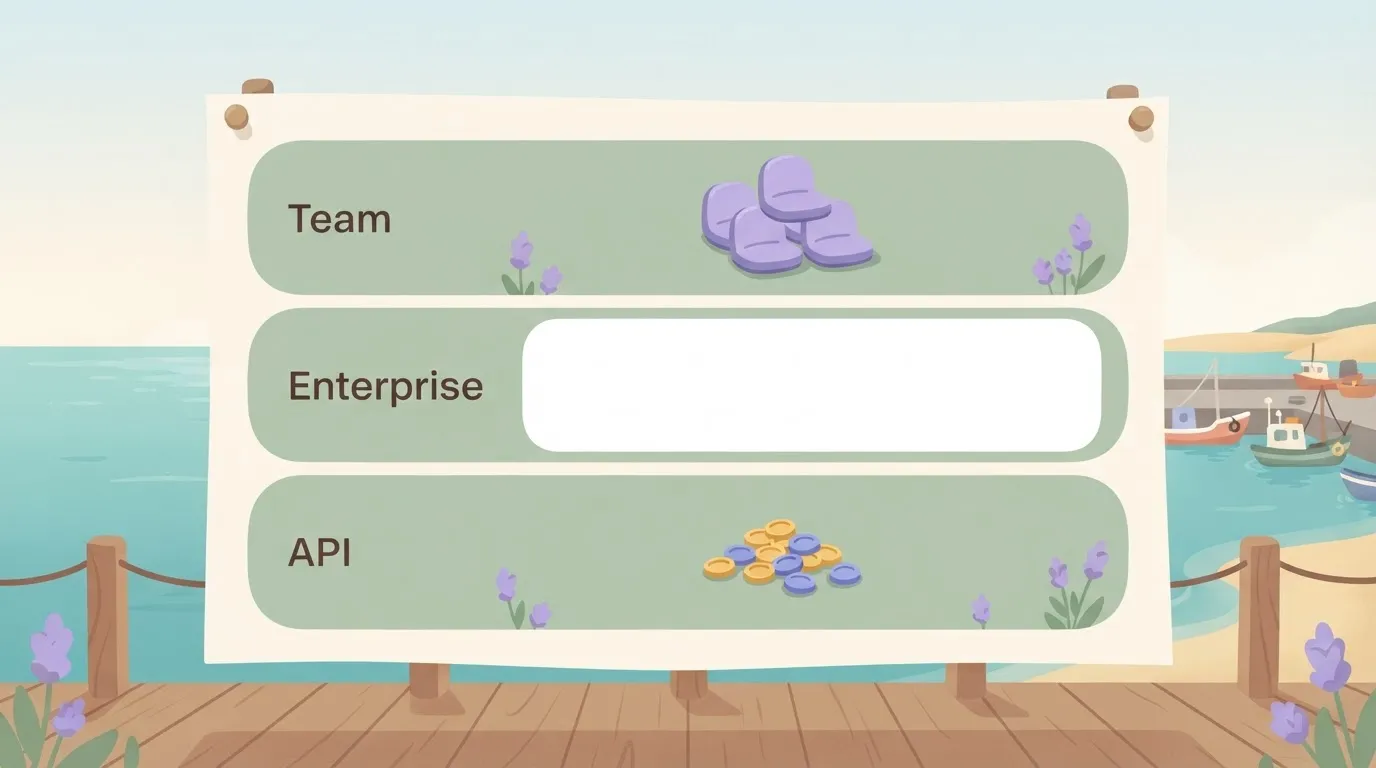
Prices and plan limits checked against docs.claude.com and claude.com and openai.com and gemini.google on November 9, 2026.
If you are counting on SSO, SCIM, audit logs, roles, a context window or spend caps, the table above does not settle any of them.
Get each in writing before you build on it, because an assumed control is the usual cause of a failed rollout.
Claude Enterprise seat pricing versus usage-based billing
At $17-$20 per seat per month for Pro on Anthropic's pricing page, annual billing saves about 15% on a single seat, so validate the product works before committing to the full year.

Anthropic indicates that Team Standard is $20-$25, a $5 saving per seat, which is $600 a year across 120 seats, meaning team discounts evaporate at scale.
Put everyone on Premium and the bill multiplies by five. Anthropic lists it at $100-$125, where the same discount is $25 per seat per month, so assign it only to people who hit limits.
Past 150 seats, a larger rollout moves to Enterprise, whose seat price is published, with usage billed at API rates. Plan for that quote before you reach the cap.
On the API there are no seats. Anthropic's models overview puts Opus 5.5 at $4-$20 per million tokens, input to output, so generating responses costs five times more than reading input. Sonnet 5.5 is $2-$10, and Haiku 5.5 is $0.1-$0.5.
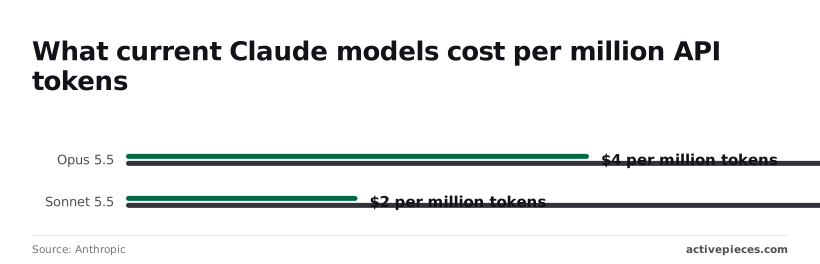
If a workflow writes long replies, it costs far more than one that reads long documents, because output costs five times input on every model. Route classification and extraction to Haiku 5.5 and keep Opus 5.5 for work that needs it.
Ask sales for these in writing:
- The seat price and the minimum seat count.
- Whether SSO, SCIM, audit logs and role controls are included or priced separately.
- How included usage is measured and what happens when a user exhausts it.
- Whether a spend cap exists, and who can change it.
- The context window for each model on your contract.
If an answer isn't in the contract, it isn't a control, so treat it as unverified.
Six numbered steps to deploy Claude Enterprise automation
Configure what you can check yourself, in this order: verify the domain, set up SSO, enable SCIM, assign roles, enable connectors, then pilot one automation. Each step depends on the one before it.
If an answer isn't in the contract, it isn't a control, so treat it as unverified.
Work the steps below in the order shown. Don't start a step until the one above it is confirmed in the console.
- Verify your domain in the admin console's domain settings. Until you do, you can't claim the accounts people already created with work email addresses, so those users sit outside your controls.
- Configure SSO with your identity provider, the system that holds your staff directory. Test it with a non-admin account first. A misconfigured SSO setup can lock out the person who has to fix it.
- Enable SCIM (automatic user provisioning) in the identity settings. Without it, a leaver keeps access until someone remembers to remove them by hand, and that's a gap in your controls.
- Set roles and groups. Map directory groups to console roles, and keep the owner and admin roles to a handful of named people. Admin visibility shows you who has access and what it costs. It doesn't show you whether a person should have it, so the group mapping has to carry that decision.
- Enable connectors and MCP (the Model Context Protocol, a standard for linking Claude to outside tools) one at a time, in the connector settings. Allow only what the pilot needs. Every connector you enable extends what a single prompt can read or change.
- Create a Project with shared instructions, then run one automation through it with a small group. Check spend and usage against your limits before you widen access, because a misread limit is far cheaper to find with one pilot than with a whole department.
Once the pilot holds, each further automation repeats steps 5 and 6.
Connector automations before Claude Code
Build the read-only connector automations first, then Claude Code, then API runs, because each step hands Claude more unattended authority than the last and each needs its own permission review.
Only the last two rows run without someone present, so only those need spend limits and a named owner before launch. The table shows where a human still sits in each path.
| Example | Runs unattended | Needs a human | Cost signal | |
|---|---|---|---|---|
| Projects with connectors (Drive, Slack, Jira) | Summarize a shared Google Drive folder and open Jira tickets | No | Someone starts each conversation | Seat-based, so usage follows headcount |
| Claude Code in CI | Review each pull request in the build pipeline | Yes | A reviewer approves the change | $150-250 per developer per month |
| API runs | Nightly ticket classification job | Yes | Someone owns the key and checks output | Metered per token, so a loop can burn budget |
Budget a team of ten for a range, not one fixed line item, because the Claude Code figure is a per-developer planning number.
Connect Drive (documents), Slack (chat) and Jira (tickets) only after the admin panel restricts who can enable them. A connector inherits the connecting user's access, so a broad account yields a broad assistant. Start with one Project, one folder, read-only.

Run Claude Code in the terminal first, then in CI. In the pipeline, give it a scoped token and a branch it can't merge.
The failure mode is a job that can push to main, and admin visibility will show you that after the fact, not prevent it.
For scheduled runs, API runs are the only path with no human in the loop by default. Set a workspace spend limit and a dedicated key per job before the first scheduled run. Otherwise one retry loop becomes the line item you explain next month.
You can follow the rest of this with the builder open. Start free, no card.
Claude Enterprise limits and error fixes
Before opening a ticket, check whether the error traces to a plan limit, a sign-in setting or a connector permission. Most do, and each has a documented fix you can check.
The table pairs each symptom with its cause and remedy; the takeaway is that only two rows are rate problems you solve in code, meaning most symptoms require operational fixes, not refactoring.
| Symptom | Documented cause | Fix | Doc date |
|---|---|---|---|
| Usage limit | Plan allowance used up | Wait for reset, or have an admin raise the allowance | Undated |
| 429 | Requests sent too fast | Back off and retry with a delay | Undated |
| Overloaded | Service-side capacity pressure | Retry later; your quota is not the cause | Undated |
| Context/file limit | Input exceeds the window | Split or summarize the input | Undated |
| SSO login loop | Identity provider and domain settings disagree | Recheck domain and redirect settings | Undated |
| SCIM gap | User or group never provisioned | Fix group mapping in the identity provider | Undated |
| Connector denied | Connector not enabled, or user lacks source access | Enable it in admin settings; check source permissions | Undated |
The rest are admin settings, covered next.
Check context first, because that is where plans diverge. Claude's Enterprise page puts Code on Pro and Max at up to 1M tokens, varying by model, while Enterprise chat and Enterprise Code both reach 500K.
A prompt that works on an Enterprise seat can fail on a Pro seat at 2.5 times less room, so test on the smallest surface your people use.
When people loop at login, it is almost always a mismatch between the identity provider and the configured domain, not a Claude fault. A SCIM gap means the person was never pushed, so check group assignment before blaming the account.
"Denied" means one of two layers said no: the admin never enabled the connector, or the user lacks rights in the source system. Admin visibility shows you the first; it won't show you the second.
Where Activepieces fits around Claude Enterprise
Activepieces doesn't fix what admin visibility can't show you.
It's a separate workflow tool with 747 integrations in its open source repo that sits outside your Claude Enterprise controls and calls Claude through the Anthropic API as a single step, and it doesn't configure seats, SSO or connectors, so any employee could invoke any of the 747 integrations without your enterprise oversight.

When a separate workflow tool is worth it
Use one when the job spans several business apps and needs triggers, approval gates and retries. A request arrives, a person approves it, a record updates in your CRM, and a failed call gets retried without anyone re-running it by hand.
Forcing that orchestration into Claude Enterprise, which isn't built for it, means someone pastes outputs between systems manually, which is where unreviewed changes slip through.
If your policy requires workflow logic and run history to stay inside your own infrastructure, Activepieces can also be self-hosted, and that option matters: the free Community Edition is the MIT-licensed core running on your own servers.
It also means you now own another system with its own access list, and you have to administer it like one.
Triggers and approval boxes feed an Activepieces flow, and flows are unlimited on every plan including free, that holds one Anthropic API step and then a business app, while a separate Claude Enterprise box holds seats, SSO and connectors.
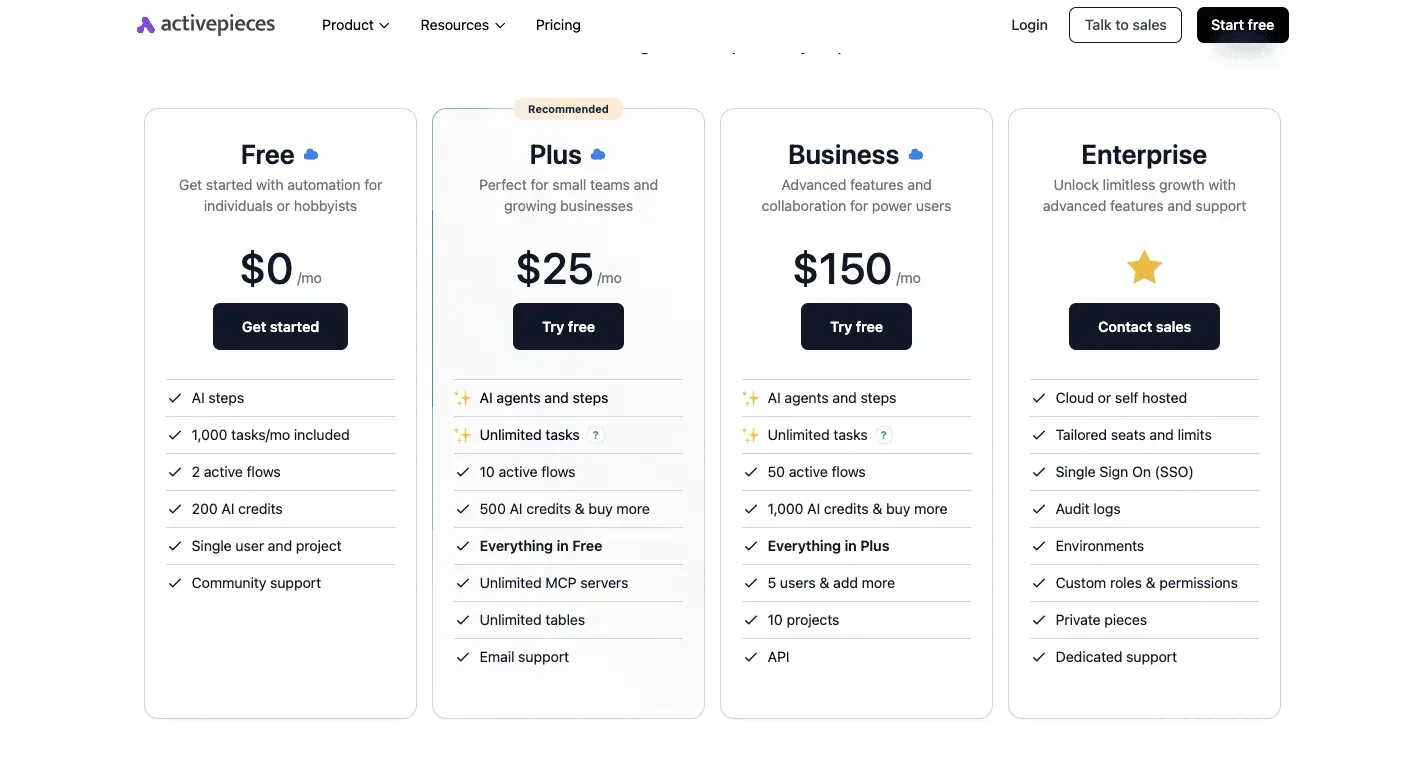
The flow runs on API credentials, and the Enterprise box governs people.
How the processing step functions?
Inside the flow, the Claude step is a single action: it sends a prompt and the incoming data to the Anthropic API and passes the response to the next step. It doesn't approve anything, and it doesn't decide who may trigger the flow.
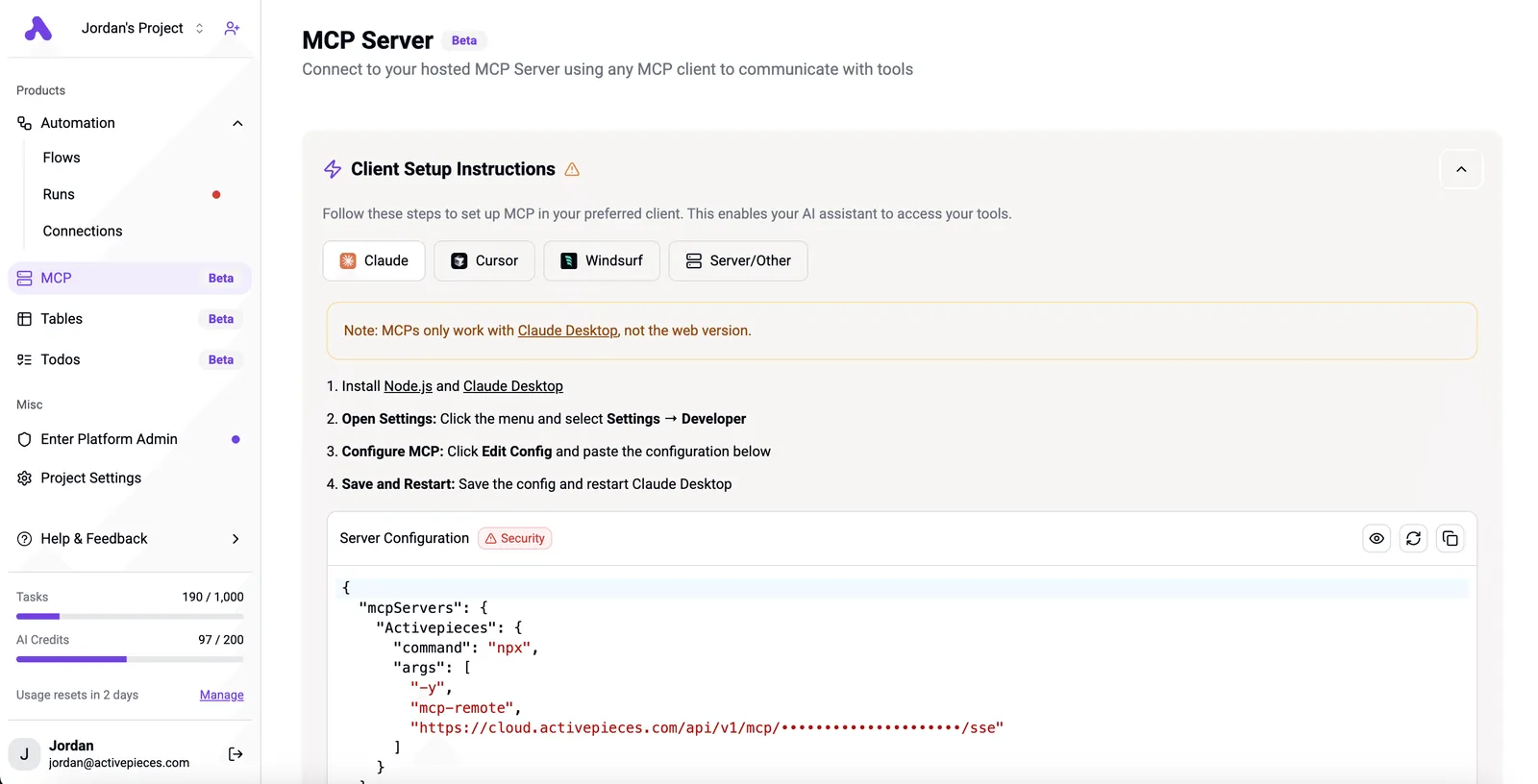
That has a practical consequence. Your SSO rules and seat assignments in Claude Enterprise don't apply to this step, because it authenticates with an API key.
Whoever can edit the flow can change the prompt and reach the key's spend.
Activepieces closes that gap by putting the agent inside the same access model as your staff: RBAC, SSO and SCIM decide who may edit a flow and which connections an agent may use, and the Ultimate tier adds custom roles and audit logs.
The run detail view for an agent step lists each tool call on its own line, with its own input and output instead of one merged result, and the enterprise RBAC documentation applies those same access policies to what an agent may connect to.
MoneyGram, Moneypenny, Alan and FundingSocieties run it in production.
Put the approval box before any step that writes to a business app, restrict flow editing to named people, and keep the key's access narrow. The next section covers how to set those limits.
Your Claude Enterprise rollout plan
In your first week, six steps run in a fixed order, and the spend limits from the previous section land at step five, after identity and ownership are settled, so you can't set spending limits until you've configured identity and ownership.
The list below sets that order. Each step depends on the one before it, so skipping ahead leaves a control with nobody accountable for it.
- Confirm your plan and seat count against the current pricing page, not a sales email.
- Name one owner who holds the admin role and answers for every setting below.
- Complete SSO, then SCIM, so sign-in and account removal both run through your identity provider.
- Pick one low-risk automation, such as summarizing internal tickets, with no write access to anything.
- Set the spend limit and a recurring review of usage.
- Recheck the docs and changelog dates for everything you relied on.
Those six steps compress into the four moves below, making the procedure more straightforward.
Steps one and two settle who is responsible and what you bought. Step three connects identity: SSO controls how people sign in, and SCIM provisions and deprovisions accounts automatically, so a departed employee loses access without anyone remembering to remove them.
Only at step four does a single automation ship. Steps five and six are the check that keeps it honest.
For this week, automation means any recurring task that runs without a person starting each run: scheduled summaries, routed requests, connected tools acting on a trigger.
Admin visibility tells you who used it and what it cost. It doesn't tell you whether the output was correct, so someone still reads the results.
Write the date beside every figure you copy from the pricing page or docs, and reread the changelog before you widen access, because plan names, seat rules and limits change. A limit you misread last quarter becomes this quarter's outage.
Frequently asked questions
Re-check five terms against the vendor document, because they are the ones most often misread. Record your own check date next to each one.
Scheduling and data use
Can Claude Enterprise run tasks on a schedule unattended?
Not from the chat interface alone. An unattended run needs something that triggers Claude without a person present, such as an automation tool or a script calling the API with a service credential.

Confirm which scheduling features your plan exposes in Anthropic's Enterprise documentation. Then give any scheduled job its own credential, so you can revoke it without touching a person's access.
Does Claude Enterprise train on our company data?
By default, no: Anthropic's commercial terms say it doesn't train its models on customer content submitted through its commercial products. That scope matters, because consumer plans follow different terms. Read the commercial terms and privacy documentation, not a summary, before you tell legal the answer.
Enterprise, the API and sign-in
How is Claude Enterprise different from using the Claude API directly?
If you want identity, roles and visibility over people using Claude, that is Enterprise, a seat-based workspace with admin controls, while the API is programmatic access billed by usage and authenticated with keys.
The API gives you none of that automatically, so key management and spend monitoring become your job.
Can we use Claude Enterprise with SSO from Okta or Entra?
Yes, Enterprise supports single sign-on through standard identity-provider protocols, and Okta and Microsoft Entra ID are common choices.
Set up domain verification and SSO before inviting users, or people will already have accounts outside your control. Check the current setup guide for which provisioning features your plan includes.
Usage limits
What happens when we hit a usage limit?
Work slows or stops until the limit resets, unless an administrator has enabled extra usage under a spend cap. Which of those happens depends on settings someone chose in advance. Decide that deliberately, and name an owner who gets the alert.
Related reading
Build it
Set this up in minutes.
No code required. Connect your accounts, and Activepieces runs it from there.
Start free Talk to sales