ElevenLabs Realtime Speech to Text for Voice Agents

Oct 27, 202613 min read
ElevenLabs Realtime Voice Agents Defined
ElevenLabs Realtime Speech to Text Explained
ElevenLabs realtime is a streaming speech-to-text API: it listens and returns a transcript while someone is still talking. It's the listening layer of a voice agent, not a finished agent.
Nothing else a caller experiences comes from this endpoint. Something must decide what to say, call tools, and speak the answer. When a team reports that "the ElevenLabs agent failed," the trace usually shows the ear did its job and a missing part downstream didn't.
Speech to text versus a full voice agent
Follow a call and a voice agent has four stages in sequence. Audio arrives from a microphone or phone line, the ear turns it into text, a language model decides what to do and calls tools, and a voice output speaks the result.

Read it as a boundary: everything left unshaded is a separate part you choose, connect, and monitor.
When the shaded box is treated as the whole row, the faults are predictable. Transcripts arrive but nothing answers them. The model answers but calls no tool. Text comes out but nothing voices it.
Each is a wiring gap, not a transcription defect. Activepieces can sit between the stages, but the stages still have to exist, so you can't offload your stage design.
Realtime Speech to Text Release Date
The realtime endpoint is new. This article quotes no release date. ElevenLabs' own pages didn't confirm one on 2026-10-26. Take the date from ElevenLabs' API reference, not from third-party write-ups, and re-check it before you plan around behaviour described in older posts.
Because the endpoint is new, expect early documentation, changing parameters, and few published failure cases.
This takes minutes, not a project: automate it in Activepieces free.
Realtime transcription in voice agents
If you're keeping raw traces, this is the sequence they should show, in order. The realtime endpoint turns streamed audio into text over one persistent connection, and nothing else: the language model and the voice are separate parts you attach.
- Open a WebSocket with the model
scribe_v2_realtime. - Stream audio chunks.
- Receive partial transcripts.
- Receive the final transcript.
- Pass it to the language model.
- Speak the reply.
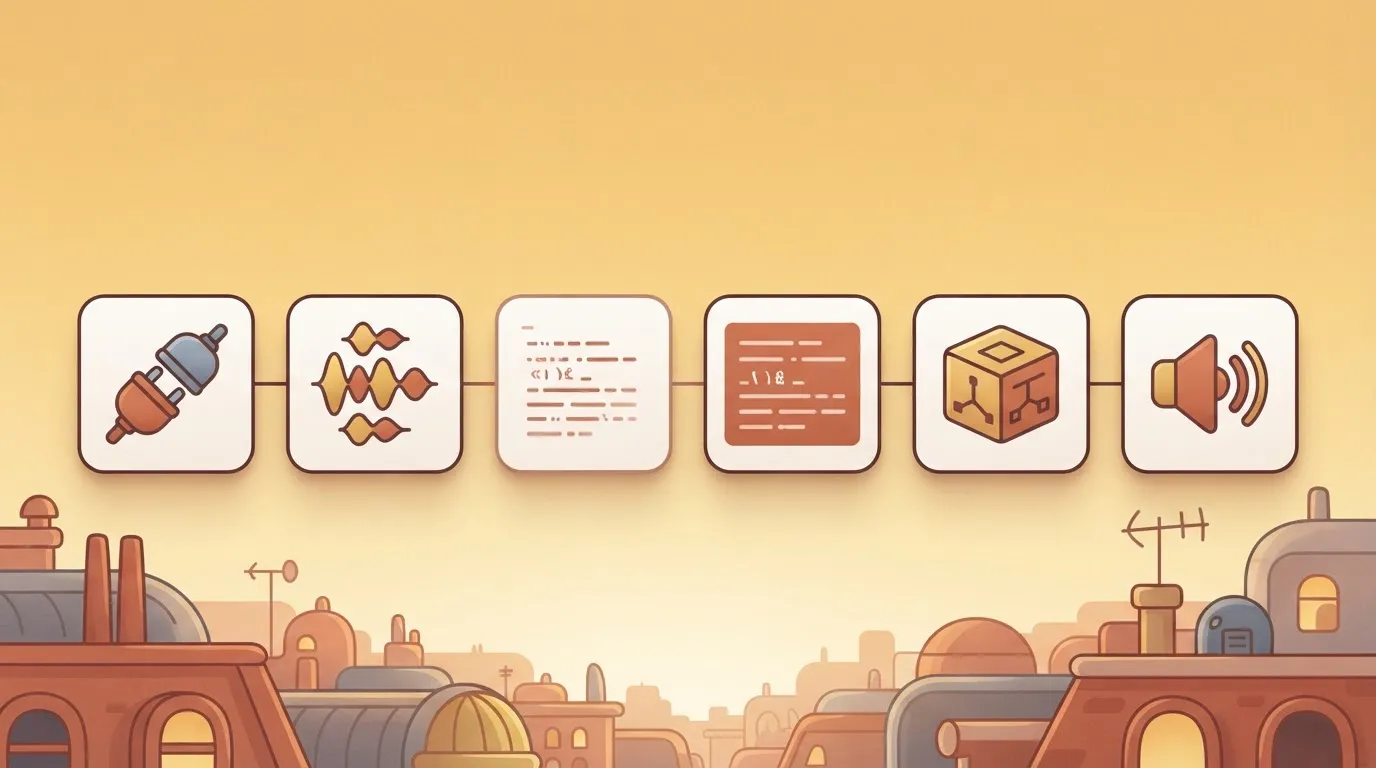
Only the first four steps belong to the transcription service, so the remaining steps require separate orchestration.
ElevenLabs describes the realtime speech-to-text API as a WebSocket service for streaming audio input and receiving transcription results. The connection stays open for the whole conversation, so audio goes up as it's captured and text comes back on the same socket, with no upload-then-wait step.
Partial vs committed realtime transcripts
Results arrive in two kinds. Partial transcripts are provisional text that can change as more audio arrives. A final, committed transcript is text the service has settled on.
Act on a partial and you may send the language model words the caller never said. Wait for the committed one and you accept a later start.
Log which kind triggered each model call, because that single field explains most "the agent answered the wrong thing" reports.
Where the language model and speech output fit
Your own code takes the transcript as input. That code calls a language model, then passes the reply text to a speech synthesis service. Each hand-off adds delay the transcription endpoint can't see or reduce.
Read the chart that follows as time to first transcript only. Those latencies are reported figures, and they cover only the first slice of the delay between a caller finishing a sentence and hearing the reply.
Where Realtime Speech to Text Is Used
Where someone acts on the words before the speaker has finished, streaming transcription is required, and batch is the better buy everywhere the transcript is read afterwards.
The table sorts five common uses by how much delay each tolerates, what the transcript feeds next, and which mode that implies.
Read the last column as a purchasing decision: a "streaming" row means paying for a live connection and handling partial results, and a "batch" row means you can skip both.
| Use case | Latency tolerance | What happens to the transcript afterwards | Streaming or batch |
|---|---|---|---|
| Phone support | Very low; the caller is waiting for a reply | Feeds a language model that decides what to say next, then is archived | Streaming |
| Live captioning | Low; captions that lag the speaker lose their value | Displayed once, rarely stored | Streaming |
| Meeting notes | High; nobody reads them mid-sentence | Summarised, searched, and filed after the meeting ends | Batch, or streaming for a live view |
| Voice ordering | Low; the customer expects confirmation | Parsed into line items and sent to an order system | Streaming |
| Agent-assist | Low to moderate; a prompt that arrives after the question is answered is noise | Drives suggestions for a human, then goes into the call record | Streaming |
Prices and plan limits checked against elevenlabs.io and github.com on October 26, 2026.
Two rows deserve a closer look. Meeting notes are the one case where streaming is optional, so a team that wires a live connection there is paying for latency nobody benefits from.

Phone support and voice ordering are the opposite: the transcript is an input to the next step.
What ElevenLabs Realtime Costs and Requires
ElevenLabs realtime transcription is listed at $0.39 per hour of audio. That price buys only the ear, not the stages after it that set the delay a caller hears, so your users' perceived latency depends on services sourced elsewhere. Figures were checked on 2026-10-26.
The pricing page gives a rate, not a gating rule. I couldn't confirm tier requirements or concurrency caps from it, so read your plan's limits before a load test, not after the first busy hour.
ElevenLabs Realtime Speech to Text Pricing
AssemblyAI lists from $0.15 per hour.
Deepgram Nova-3 starts at $0.288 per hour.
OpenAI realtime is listed at $1.02 per hour. It's a different product, and the comparison tells you what a bundled agent costs, not what a competing ear costs, which is why you can't assess transcription value from this multiplier.

Those are list prices. They say nothing about how any vendor measures latency, and I found no published latency figure to compare, so you must measure it yourself on your own audio.
Hidden Costs of Realtime Speech to Text
Whether silence on an open socket is billed, the page doesn't say. A phone line sits quiet for much of every call, so if it's, your effective rate runs above the list price.
It also prices nothing downstream: the language model, speech synthesis and telephony each add their own line. Budget the whole chain, then price the ear last.
You can follow the rest of this with the builder open. Start free, no card.
Mistakes Teams Make With Realtime Voice Agents
When a realtime voice agent fails, the usual cause is that the transcription endpoint was judged rather than the chain you just budgeted.
The six mistakes below, each paired with its fix, show that none is a pure accuracy problem, so the fixes live in your wiring, not in a better model.
The four mistakes that do the most damage get detail below. The other two, batch transcription where streaming is needed and no consent notice, are in the chart with their fixes.
Partials are revisable guesses. If your agent calls a tool on one, it can act on words the speaker never finished. Wait for the committed segment before any action, and use partials only for display or early preparation.
If the declared format differs from what you send, the transcript degrades without any error, because telephony audio and browser audio differ in encoding and sample rate. Set the format and language explicitly, then check them against a raw trace.
When a streaming socket drops and there is no reconnect path or buffered audio, the caller hears silence. Reconnect, replay the buffer, and fall back to a spoken apology or a human transfer.
Treating transcription as the whole agent
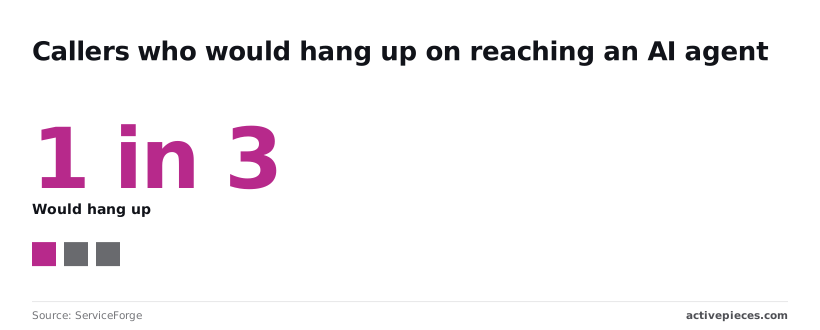
1 caller would hang up on an AI agent, according to the ServiceForge survey.
Only 13% of organisations have scaled voice AI, according to Nasscom via Economic Times BrandEquity. Another 23% are exploring, 32% are in pilot and 31% are in limited production, so voice AI deployments remain largely experimental across the market.

Measure delay from the end of speech to the start of the reply, not transcript accuracy alone.
Fix the Glue Work With Activepieces
Every connector is an agent tool.
Connect an integration once in Activepieces, and the same action serves two callers: it runs as a step in the post-call flow, and it is exposed as a tool on the project's MCP server, where Claude, ChatGPT, Cursor or an agent you built can call it, which means you avoid duplicating the integration.
The CRM update or ticket your agent needs after the transcript is therefore never integrated twice, and the shared mechanism lives under packages/integrations in the open source repo. It sits downstream of the ear and doesn't do anything for the delay you just measured.
The sequence matters. Speech ends, the transcript arrives, and then something has to record it somewhere.
Most teams hand-roll that step inside the process that holds the audio socket, so a slow CRM call or a failed ticket request shares a failure domain with the live conversation.
Moving it into a separate workflow means a broken integration fails in its own run history, where you can read it, instead of as dead air on a call.
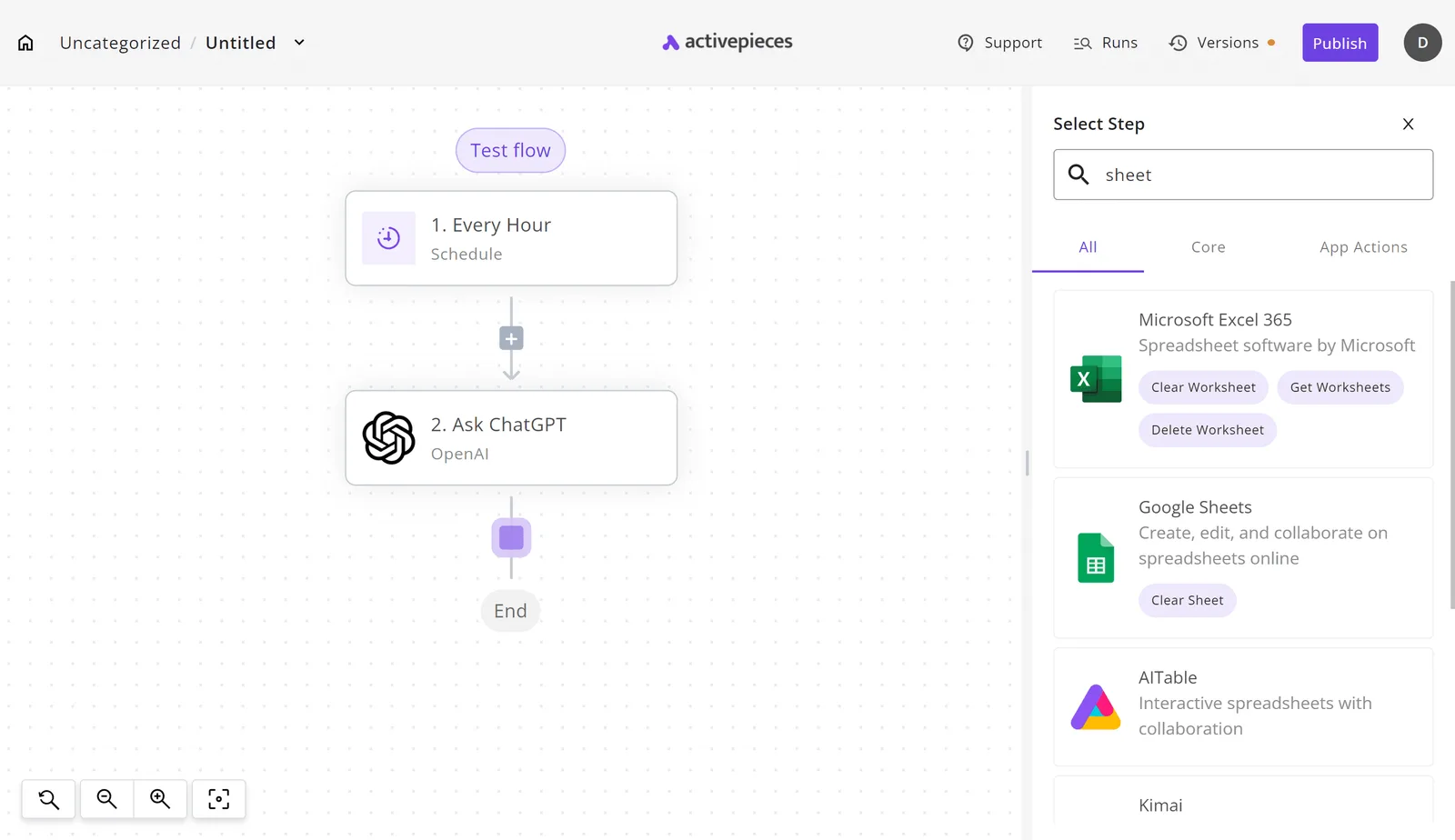
On the canvas of the builder below sits a three-step flow: an Every Hour trigger, an Ask ChatGPT action, and an End node.
The open Select Step panel has "sheet" typed into its search field, and it returns Microsoft Excel 365, Google Sheets, AITable and Kimai, each with its own actions.
Take from it that every destination is a selectable integration, so adding a spreadsheet row is a pick from a list, not an SDK integration you maintain yourself.

The limits come next. We haven't run ElevenLabs realtime through Activepieces, and we've not confirmed a dated Activepieces release aimed at it, so we claim none.
Integration breadth doesn't show that this particular handoff works, so you must test this workflow in your actual environment.
Activepieces doesn't replace the ElevenLabs endpoint: it hears nothing and transcribes nothing. Treat it as the wiring after the ear.
Its core is MIT-licensed, so you can read how a step runs, and you should still test the handoff against your own transcript events before you trust it.
Realtime launch checklist
Run eight steps in this order and stop at the first one that fails, since the entire process depends on every step succeeding, meaning you can't test the steps independently.
Each depends on the one before it, and a failure early costs an hour, not a week.
- Choose the audio you actually receive, such as phone calls or meeting recordings, and use only that. A clean studio sample tells you nothing about your line noise.
- Read the reference and pricing, and note which events the endpoint emits and how usage is billed, so you know what a long session costs before you open one.
- Get an API key and keep it in an environment variable, not in the test script, so the script can be shared with the trace.
- Stream a sample by sending the file in real-time chunks and save the raw event log untouched. The log is your evidence; a summary of it isn't.
- For each utterance, note when speech ended, when the first partial transcript arrived, and when the final one arrived. Log every dropped connection and malformed event with its timestamp. A reported average hides the worst call, so keep the individual rows.
- If nothing acts on the words until the call ends, batch transcription does the job and streaming adds only complexity. Stay with streaming only when a downstream step must act mid-conversation.
- Connect final transcript events to a single action, such as creating a ticket. One action shows whether the handoff holds, and a second would only blur the cause of any fault.
- Go if final transcripts match your audio, delay stays inside what the action tolerates, and errors are rare and recoverable. No-go if the log shows gaps you can't explain.
Frequently asked questions
Is realtime speech to text the same as a conversational AI agent?
No. Realtime speech to text only turns streaming audio into text. An agent also needs a language model to decide what to say, tools to act, and a voice to speak back.
If you treat the transcript as the whole agent, those missing parts show up as failures in production.
Can ElevenLabs realtime transcribe languages other than English?
Yes, it isn't limited to English, but coverage varies by language. Check ElevenLabs' current language list against the languages you actually serve. Then run your own recordings through it, with your accents, background noise and vocabulary, and read the raw transcripts before you commit.
How is realtime different from ElevenLabs batch speech to text?
Batch takes a finished recording and returns a transcript afterward. Realtime accepts audio as it's spoken and returns text while the speaker is still talking.
Use batch for recordings you analyze later. Use realtime when something downstream must react mid-conversation. Realtime output can be revised as more audio arrives, so your code must handle provisional text separately from text the service has finalized.
Do I need to write code to use it?
Usually some, because realtime is a streaming connection, not a form you upload a file to. Something has to capture audio, send it, and handle the text that comes back.
A low-code tool can hide most of that, but you still own the decisions about when a turn has ended and what happens on a dropped connection.
Can I send realtime transcripts into other business apps?
Yes. The output is plain text, so you can pass it to a CRM, a ticketing system, a database or a workflow tool, through your own code or an automation platform.
Decide in advance whether you forward partial text or only finalized text. Forwarding partials creates duplicate or half-formed records downstream.
Related reading
Build it
Set this up in minutes.
No code required. Connect your accounts, and Activepieces runs it from there.
Start free Talk to sales