How to Automate Invoice Reminders: A 2026 Guide

Nov 14, 202613 min read
Outstanding balances convert to cash without manual oversight when you synchronize your accounting ledger with your communication channels.
This system functions as a state machine. Specifically, the invoice status in an accounting tool like QuickBooks Online or Xero triggers a sequence of scheduled notifications based on the delta between the current date and the payment deadline.

Improve cash flow with automated reminders
The core components of an automated follow-up system
Moving an invoice from "sent" to "settled" requires a resilient architecture built on three distinct layers. First, a recurring trigger monitors the database of an accounting platform to identify records where the balance is greater than zero and the due date has passed.
Second, Activepieces filters these records against your CRM data to prevent reminders for disputed items or clients with custom payment terms, a logic chain that MoneyGram and Moneypenny run in production to manage complex automation environments.

Third, a multi-channel delivery layer routes the notification through a transactional email service like SendGrid or an SMS gateway like Twilio. This reaches the payer even if they ignore their primary inbox.
Why manual follow-ups fail as your client list grows
When a human operator is responsible for reconciling bank statements against open invoices, the process inevitably introduces "sync lag." This is the moment it goes wrong: a reminder is sent to a client who actually paid an hour prior.
This friction erodes the professional relationship and signals a lack of internal coordination.
Manual systems lack a defined failure path: if an accounts receivable clerk is absent, the follow-up sequence halts. Automation reduces this single point of failure by executing the logic chain on schedule, though it still requires a manual data refresh beforehand.
Manual systems lack a defined failure path: if an accounts receivable clerk is absent, the follow-up sequence halts.
The standard timeline for effective payment nudges
Courtesy and urgency must be balanced in a linear escalation path as the invoice ages.
- Three days before the due date, send a soft "upcoming payment" email to get the invoice into the payer's current weekly processing batch.
- One day after the due date, send a formal "overdue" notice with a direct payment link.
- Seven days after the due date, send a second email and CC the original project lead.
- Fourteen days after the due date, use a high-priority SMS or automated voice drop to move the communication to a direct personal channel.
- Thirty days after the due date, alert the finance team to call the client or pause services.
| Industry | Average DSO (Days) | Impact on Operations |
|---|---|---|
| Construction | 83 | High upfront material costs create severe liquidity gaps |
| Cross-industry Average | 58.4 | Benchmark for standard working capital cycles |
| Professional Services | 54 | High payroll overhead requires tighter collection windows |
| Industrial/Manufacturing | 52 | Raw material turnover demands rapid cash recycling |
This takes minutes, not a project: automate it in Activepieces free.
Enable native automated invoice reminders
Activating the internal scheduling engine of your accounting platform is the first step toward eliminating the manual overhead of monitoring due dates. These native tools are the primary state-monitor for your accounts receivable. Every outstanding balance triggers a notification without human intervention.

Setting up Xero invoice reminder triggers
To initiate its communication workflow, Xero uses a linear aging trigger. To use this, navigate to the Invoice Settings menu and select Invoice Reminders.
The system operates on a binary toggle; once enabled, you'll need to define the specific intervals at which the "Invoice is overdue" condition becomes true.
Shortly after the due date is the best time for the first trigger, as this minimizes the impact of bank processing delays.
Setting up scheduled reminder batches in QuickBooks Online
QuickBooks Online manages automated outreach through its Workflows tab using a batch-processing logic. Unlike a continuous stream, QuickBooks evaluates your ledger at a specific time of day to identify all invoices meeting your "Days Past Due" criteria.
- Select the "Automate Invoices" template within the Workflows menu.
- Define the condition as "Invoice Due Date," choosing the "is after" operator.
- Set the action to "Send Email" and check the "Attach Invoice as PDF" box.
The batching approach means a customer who pays at 9:00 AM might still receive a reminder if the batch process ran at 8:00 AM. This creates a requirement for a manual data refresh before the scheduled execution time.
Customizing the initial 'soft' reminder template
To preserve the customer relationship, the first communication in the logic chain must function as a neutral status check rather than a collection demand.
Both Xero and QuickBooks Online provide dynamic fields (often called placeholders) that insert the "Invoice Number" and "Amount Due" directly into the text. This ensures the recipient has the necessary data to reconcile their records immediately.
Centralized authentication is the best way to maintain security and administrative control over who can modify these templates.
The admin panel allows for the enforcement of Single Sign On. This restricts access to the automation logic and financial triggers to authorized accounts.
Multi-channel reminder workflows for high-value accounts
High-visibility communication platforms become the destination for invoice data when you transition from passive email reminders to active internal alerts.
Connecting Xero or QuickBooks to your workflow builder
A webhook trigger starts the synchronization by capturing the specific "Invoice Overdue" state from the accounting software. This prevents the workflow from firing on drafted or paid entries.
By listening for the invoice ID and total balance, a dedicated automation builder bridges this gap and holds that data in a temporary state machine.
When choosing a platform to host this logic, the decision depends on the complexity of the data mapping and the frequency of the sync:
- Zapier: Best for users seeking a pre-configured directory of apps, though it carries a higher cost per task execution.
- Make: Provides a visual canvas for complex data manipulation and multi-step branching.
- Activepieces: A ten-step reminder process costs the same as a two-step workaround because the meter is the run, not the tasks inside it. The published pricing page shows 1 credit per flow run regardless of step count, which prevents the builder from being taxed for adding the granular validation steps that make invoice automation reliable. Check the pricing page against Zapier's per-task billing and Make's per-module billing to see how this scales.
Adding conditional logic to filter by invoice amount
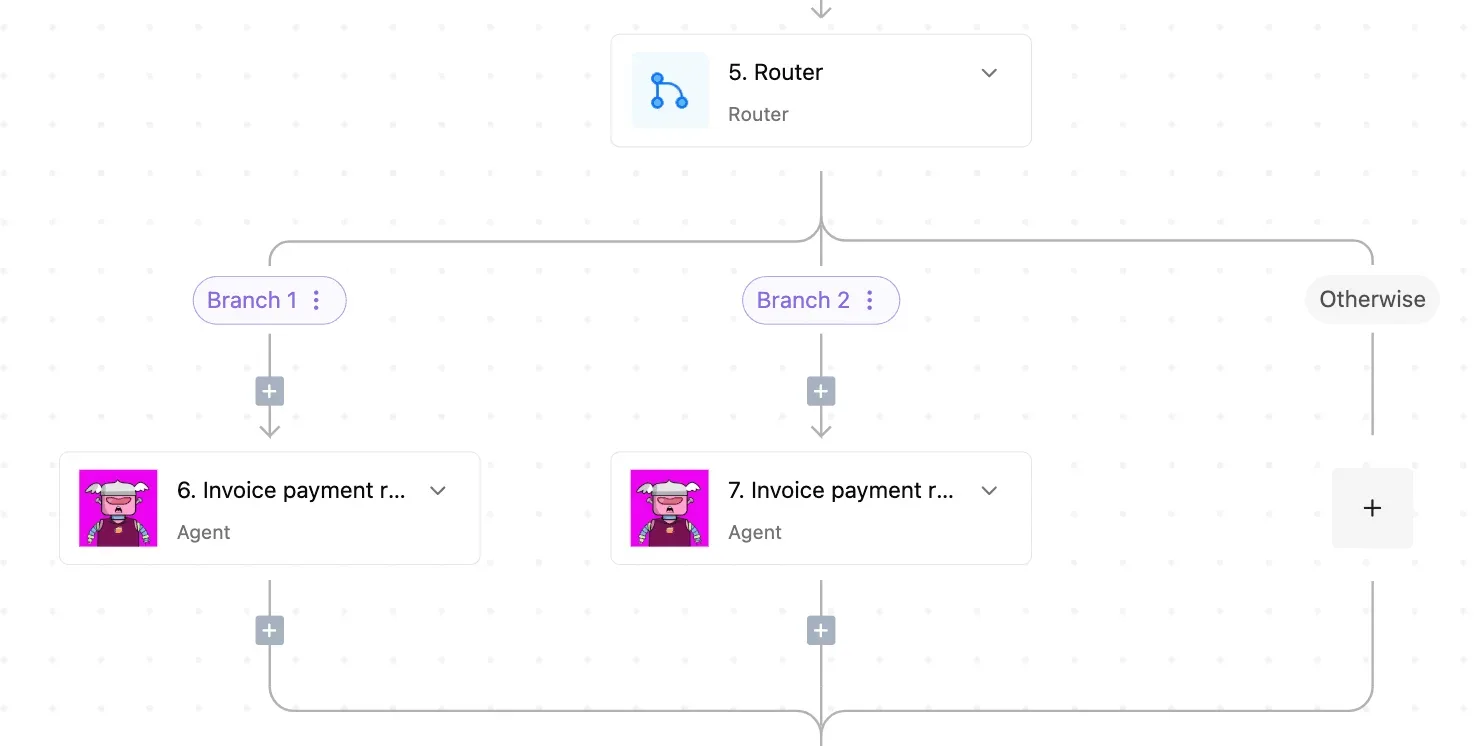
A branch node evaluates the invoice balance to determine if the delinquency requires a standard automated email or immediate human intervention.
The system evaluates the "Total Amount" field. If the value exceeds the established high-tier threshold, the workflow executes a parallel branch of urgent notifications.
If the value is below that threshold, the system defaults to a standard secondary email sequence. This separation prevents alert fatigue by reserving intrusive channels for accounts that significantly impact monthly recurring revenue.
Routing reminders to Slack or WhatsApp for immediate visibility
Pushing the invoice details into Slack or Twilio is the final step, ensuring the team sees the data where they are already active.
By using the Slack integration, the workflow can tag the specific Account Executive assigned to the record so the notification isn't lost in a generic channel.
- Slack: Delivers a message to a specific channel with a direct link to the invoice.
- Twilio: Sends an SMS to the customer’s verified phone number, bypassing crowded email inboxes.
- WhatsApp Business: Provides a familiar interface for international clients. Read receipts confirm when the recipient views the reminder.
To start building this sequence, visit the Activepieces Pieces library and start for free.
You can follow the rest of this with the builder open. Start free, no card.
Troubleshooting common automation errors and sync delays
A validation step is required for reliable automation to check the current payment status immediately before any message is dispatched.
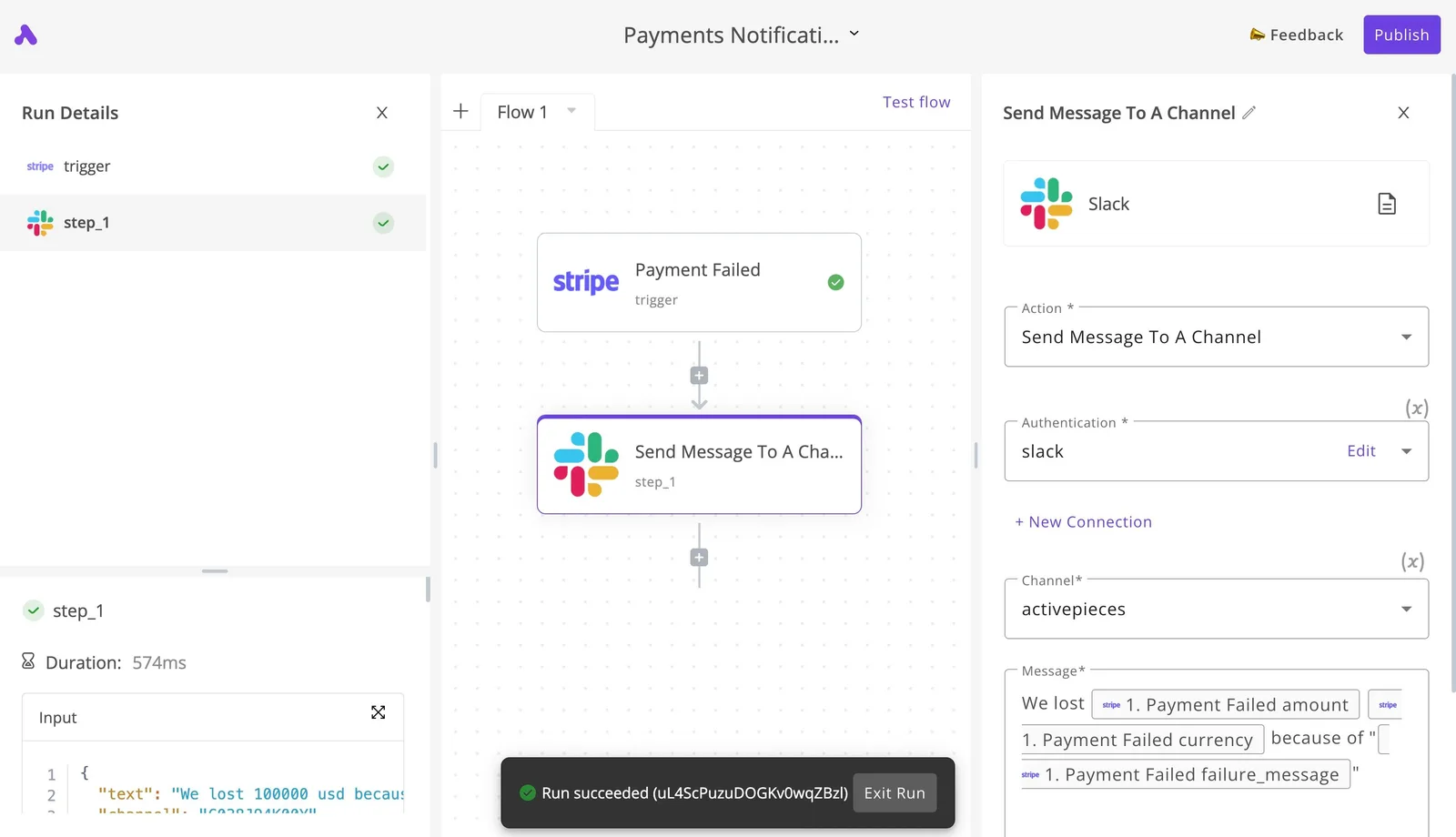
Every agent tool call, the data it acted on, and the order it made its decisions in is traced step by step in the Activepieces Run Details and Debugging UI.
This trace exports as audit logs and event streams into the SIEM your security team already runs, so an agent's decisions are reviewed the same way a workflow's steps are.
Preventing reminders for already-paid invoices (The Sync Gap)
Latency between a customer initiating a transfer and the accounting platform reflecting that transaction as "Paid" is the primary cause of automated errors.
To account for this, the workflow must include a "Wait" step followed by a "Get Invoice" action to refresh the record state.
| Payment Method | Processing Time |
|---|---|
| Domestic Wire | Same Day |
| ACH | 3-5 Days |
| Standard ACH | 3-5 Days |
Because these windows vary, the automation should be configured to check for a "Paid" status at the start of every branch in the sequence. If the status is "Paid," the workflow must terminate immediately.

Handling partial payments without triggering full-debt alerts
A binary "Paid/Unpaid" check is insufficient for customers who pay in installments. The logic must instead calculate the "Remaining Balance" by subtracting the sum of all associated "Payment" objects from the "Total Amount" field.
- Fetch the invoice details to identify the total amount due.
- Search for all successful payment transactions linked to that specific invoice ID.
- Use a math step to determine the current outstanding debt.
- Apply a conditional filter: if the balance is zero, stop; if the balance is greater than zero, proceed with a reminder that dynamically inserts the specific remaining amount into the email body.
Managing API rate limits during end-of-month billing cycles
High-volume billing cycles can trigger rate limits on platforms like Stripe or HubSpot.
When an API returns a "429 Too Many Requests" error, the workflow should be governed by an exponential backoff strategy, which pauses the execution and retries the action at increasing intervals.
For massive batches, implementing a "Batch Delay" or "Rate Limiter" node ensures the automation stays within the allowed requests-per-minute threshold.
Weekly accounts receivable reminder audit checklist
A Monday morning audit ensures your automation logic remains synchronized with your actual bank balance before the system triggers the week’s first batch of reminders.
You will need to follow this sequence to validate your state machine and transition from manual oversight to a self-correcting schedule:
- Identify the top five overdue accounts to confirm that the balance reflected in your CRM, such as Salesforce, matches the "Amount Due" in your accounting software, such as Xero.
- Verify the bank sync status to ensure the connection between your financial institution and your ledger has refreshed within the last hour.
- Review "Stop" conditions for every active workflow to verify that any invoice marked as "Disputed" or "Under Review" is explicitly excluded from the automated email queue.
- Test one SMS escalation by triggering a manual bypass for a single long-overdue invoice. Confirm the message delivers to the correct mobile gateway and logs the attempt in your history.

Frequently asked questions about invoice automation
How often should I send automated payment reminders?
A cadence that balances persistent follow-up with the technical limitations of email deliverability is best for automated reminders.
A standard sequence begins with a notification three days before the due date to ensure the invoice is staged for payment, followed by a message one day after the due date to confirm the obligation is met.
If the balance remains unpaid, subsequent messages should trigger at intervals of seven, fourteen, and thirty days past due.
This spacing prevents spam filters from flagging the sender’s domain. Each step must include a filter that checks the status in the accounting software, such as Xero or QuickBooks Online, so a reminder doesn't fire after a payment is recorded.
Can I automate reminders for international wire transfers?
Automating reminders for international wires requires a logic gate that accounts for the multi-day clearing cycles of the SWIFT network.
This is the messaging system banks use to initiate global transfers. Because a wire can take up to five business days to move through intermediary banks, a reminder sent too early creates friction with clients who have already initiated the transaction.
With a "settlement delay" step, the automation pauses the workflow for a set period after the due date before checking the bank feed.
This ensures the system only escalates to communication channels like SMS when the funds are truly missing rather than just in transit.
When using SMS for international recovery, the message payload must be calculated against global character standards to avoid splitting the text into multiple billable segments.
| SMS Standard | Character Limit | Consequence for the Reader |
|---|---|---|
| GSM-7 Standard | 160 characters | Allows for standard Latin text without increasing the cost per message. |
| UCS-2/Emoji | 70 characters | Using a single emoji reduces the limit significantly, doubling the cost of a standard 160-character note. |
| Concatenated Max | 1,600 characters | Permits long-form instructions but bills the sender for up to ten individual message units. |
Using these limits, a system can dynamically shorten the text if the recipient’s country code indicates a high per-message cost.
Do automated reminders legally count as a formal demand for payment?
An automated email serves as a record of contact but only functions as a formal demand if it meets specific jurisdictional requirements for "Notice of Default."
In many regions, a formal demand must be sent via a verifiable medium (such as a registered letter or a specific legal portal) to be admissible in debt recovery proceedings.
To bridge this gap, the automation should be programmed to generate a PDF "Final Notice" and attach it to the final email in the sequence.
If this final automated attempt fails to trigger a payment, the workflow should branch to a task in a project management tool like Trello or Asana. This alerts a human representative to initiate a manual legal escalation.
Build it
Set this up in minutes.
No code required. Connect your accounts, and Activepieces runs it from there.
Start free Talk to sales