
Salesforce NetSuite Integration: Methods and Guide for 2026

Nov 14, 202614 min read
A Salesforce-NetSuite integration is the technical bridge that aligns your customer relationship management with your enterprise resource planning to eliminate manual data re-entry across the lead-to-cash lifecycle.
By implementing a self-hosted automation strategy using Activepieces, you'll maintain security while ensuring that financial records in NetSuite automatically reflect the activities you've captured in Salesforce.
Salesforce NetSuite integration for automated lead-to-cash cycles
Syncing customer data across departments
Bi-directional synchronization prevents the fragmentation of billing addresses, tax identifiers, and credit limits, ensuring that a single customer identity exists across your organization.
When a sales representative updates a primary contact in Salesforce, the change must propagate to NetSuite to prevent shipping delays or failed invoice deliveries.
This alignment relies on mapping specific objects. Salesforce Account records map to NetSuite Customer records to maintain a unified billing history.
Contacts link to individual personnel to ensure correspondence reaches the correct department. Finally, Salesforce Price Books align with NetSuite Price Levels to maintain margins during the quoting phase.
Automating the quote-to-invoice pipeline
When manual finance operations fail, the transition from a closed-won opportunity to a generated invoice is usually the culprit, often resulting in significant administrative overhead. The following chart illustrates the weekly hours lost to these manual tasks for a 45-person team compared to individual roles., which highlights the significant efficiency drain caused by collaborative overhead, meaning the current workflow forces more than double the labor per person compared to independent tasks. individual finance roles (10 hours)], which represents the baseline productivity level that the team currently fails to achieve due to coordination friction, so the department is effectively operating at a permanent deficit. individual finance roles (10 hours)]

As your team size increases, the complexity of manual coordination grows non-linearly, making automation a requirement for scaling operations without increasing headcount. To resolve this, the integration follows a specific execution order:
As your team size increases, the complexity of manual coordination grows non-linearly, making automation a requirement for scaling operations without increasing headcount.
- The process begins when a user marks a Salesforce Opportunity as "Closed-Won."
- The system checks NetSuite for an existing Customer ID to prevent duplicate record creation.
- Then, the system generates a Sales Order in NetSuite, pulling line items directly from the Salesforce Quote.
- Finally, the system writes the NetSuite Sales Order ID back to the Salesforce Opportunity for tracking.
Maintaining inventory visibility for sales teams
To avoid committing to delivery dates that the supply chain can't fulfill, your sales teams require real-time access to stock levels stored in NetSuite. Providing this visibility within the Salesforce interface prevents the "sell-what-we-don't-have" scenario. This situation leads to contract cancellations and damaged client trust.
When a warehouse manager updates a SKU count in the ERP, the integration ensures that the "Quantity On Hand" field in the CRM reflects that change immediately. This allows your reps to set accurate expectations during the negotiation phase.

This takes minutes, not a project: automate it in Activepieces free.
Four essential Salesforce and NetSuite automation workflows
Reliable automation requires mapping specific object states in the CRM to financial records in the ERP to prevent duplicate entries and revenue leakage.
By utilizing a structured sequence of API calls, you'll ensure that your sales team’s success translates immediately into a fulfillment instruction without manual intervention.
New Salesforce Opportunity to NetSuite Sales Order
Before attempting to book revenue, a closed-won opportunity must trigger a sequence that validates the existence of the buyer. This prevents the "Sales Order" creation from failing due to a missing relational link in the ERP.
The Activepieces Salesforce piece uses the "New or Updated Record" trigger to detect when the StageName field reaches the required probability threshold.
The workflow starts with a New Opportunity in Salesforce. It then finds the Customer in NetSuite.
If the customer is missing, the system creates the Customer in NetSuite. Finally, it creates the Sales Order in NetSuite. This workflow sends your finance team an actionable order as soon as the contract is signed.
NetSuite Payment Update to Salesforce Account Status
Availability must be reflected in the CRM credit status when a customer pays an invoice so that your account executives can pursue renewals or upsells. Using the Activepieces NetSuite piece, the system can "Run SuiteQL Query" to identify recently applied payments against open invoices.
The system then pushes this data to the "Update Record" action in the CRM. This shifts the "Account Status" from "Credit Hold" to "Active."
Salesforce Lead to NetSuite Customer Record
Data integrity across the prospect lifecycle is maintained by automating the transition from a lead to a customer record.
When a user creates a "New Lead" in the CRM, a "Custom API Call" to the ERP checks for existing entity IDs to avoid creating duplicate profiles. If no match is found, the system populates the ERP’s customer master file with the lead’s contact details.
NetSuite Inventory Level to Salesforce Product Update
Sales representatives require real-time visibility into stock levels to avoid promising delivery dates that the supply chain can't meet.
The automation engine executes an "Execute Dataset" action in the ERP to pull current "Quantity On Hand" values for specific SKUs.
The engine maps these values to the "Update Record" action for the corresponding "Product2" object in the CRM. This allows your sales team to see exactly what is available for shipment before they generate a quote.
Building a Salesforce NetSuite sync
A reliable integration requires a modular flow that separates the event detection in Salesforce from the data transformation required by NetSuite's schema.
This structure ensures that if a field mapping fails, the system logs the entire transaction. The transaction remains retriable without duplicating the initial trigger event.
Step 1: Configure the Salesforce trigger
Automation initiates when a specific record state is met in the Salesforce CRM, preventing the system from processing incomplete opportunities. By selecting the "New or Updated Record" trigger and applying a filter for "Stage equals Closed Won," the flow only activates when the sales cycle is finalized.

Because of this filtering, compute cycles are not wasted on early-stage leads that may never convert to revenue.
Within the trigger configuration, the "Object" is set to "Opportunity." The "Include All Fields" toggle is enabled so that custom metadata is available for subsequent steps.
Step 2: Map data to the NetSuite action
Mapping requires aligning the flat data structure of a Salesforce Opportunity with the hierarchical requirements of a NetSuite Sales Order.
The "Create Sales Order" action in the NetSuite connector is the destination. The Salesforce "Account ID" maps to the NetSuite "Customer Internal ID" to maintain link integrity across systems.
You will find a visual interface for selecting these inputs in the flow builder, where a Data Selector modal allows you to browse available variables from previous steps.
This variable selection ensures that the "Amount" from the CRM is injected directly into the "Total" field of the ERP without manual re-typing.
Once the primary header fields are mapped, the "Add Item" function in the configuration panel allows for the inclusion of line items. Each product SKU in the Salesforce record creates a corresponding line entry in the NetSuite order.

Step 3: Test the data transformation
Verification must occur in a non-production environment to ensure that the data payloads don't violate NetSuite’s strict validation rules for accounting periods or currency formats. You'll initiate a "Test Flow" run using a specific Salesforce Opportunity ID from the sandbox instance.
During this execution, inspection of the JSON output in the Code step is possible, confirming that the transformation logic has correctly formatted the date strings and decimal places.
If the test returns a "Success" status, the flow is promoted to the staging environment. If it fails, the execution log provides the specific API error code from NetSuite allowing for immediate correction of the mapping logic.
You can follow the rest of this with the builder open. Start free, no card.
Comparing integration platforms for mid-market enterprise needs
Selecting an integration platform requires balancing immediate connectivity with the long-term cost of scaling execution volume.
While many services offer rapid deployment, the distinction between a managed cloud and a self-hosted environment determines whether you retain control over your data residency.
The following table compares the structural constraints and fiscal clarity of leading integration tools used to bridge CRM and ERP systems:
| Platform | Self-Hosting | Starting Price | Pricing Transparency |
|---|---|---|---|
| Activepieces | Yes | $0 (Self-hosted) | High: Public tiered pricing |
| Zapier | No | Low | High: Public tiered pricing |
| Workato | No | $64k median | Low: Quote-based only |
| MuleSoft | No | High | Low: Quote-based only |
Prices and plan limits checked against activepieces.com and activepieces.com on November 14, 2026.
All NetSuite traffic is forced through a third-party vendor's infrastructure by a platform that lacks a self-hosting option. This necessitates a full security audit of that vendor's internal controls. For you, if you're managing strict compliance mandates, this adds months to the procurement cycle.
Regulated organizations like MoneyGram and FundingSocieties avoid this by running an air-gapped edition of Activepieces on their own infrastructure.
The platform maintains feature parity across environments, meaning that SSO, SCIM, custom RBAC, audit logs, release management, and secret managers are available in the self-hosted air-gapped docs just as they are for the managed cloud; the parity ensures that moving to private infrastructure does not mean sacrificing the governance required for financial data.
Pricing models for Salesforce NetSuite integration tools
Transparent pricing allows your department to forecast the cost of a high-volume sync without waiting for a sales representative to calculate a custom quote.
This is useful when updating thousands of line items. To ensure the integration remains performant as transaction volume grows, you should utilize agentic models for automated error handling.
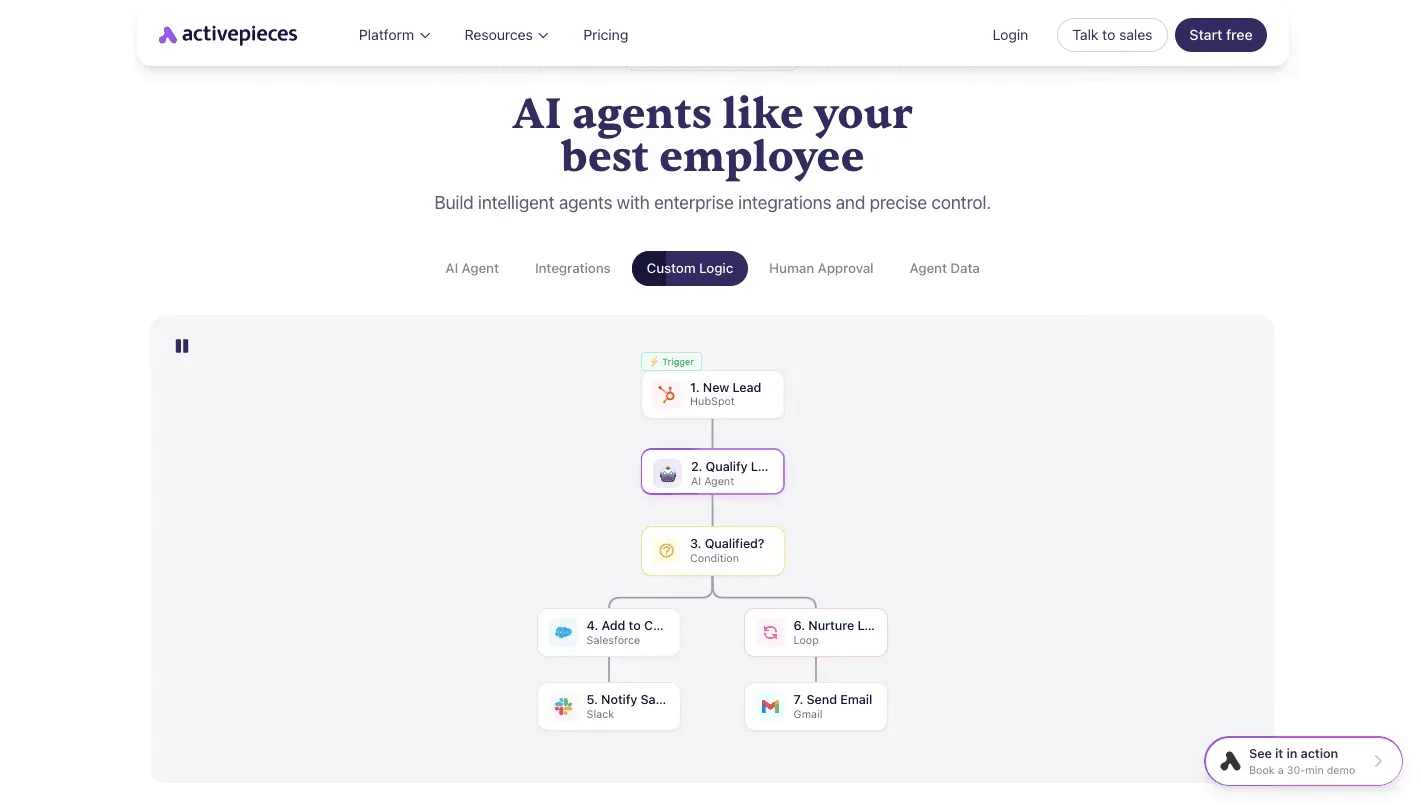
Use Claude Sonnet 5.5 (Anthropic) to analyze execution logs and suggest optimizations for complex branching logic. Deploy Gemini 3.8 Flash (Google) to monitor high-volume data extraction tasks. Use GPT-6 Astra (OpenAI) when mapping non-standard custom objects between Salesforce and NetSuite.
Troubleshooting common Salesforce and NetSuite API errors
Technical stability in a Salesforce-NetSuite integration depends on preemptively managing the rigid governor limits and authentication protocols enforced by both vendors. Failure to account for these constraints results in dropped packets and partial record updates, which creates permanent discrepancies between the CRM and the ERP.
Handling NetSuite concurrency limits
NetSuite enforces strict limits on the number of simultaneous requests allowed per account to prevent resource exhaustion on their multi-tenant pods.
If an automation platform attempts to push a high volume of sales orders during a peak period, NetSuite returns a "SSS_REQUEST_LIMIT_EXCEEDED" error. This halts the integration until the current session window clears.
You must migrate to REST-based integrations to maintain support because NetSuite is retiring the SOAP web services protocol in the 2028.2 release.
The base service level allows only five simultaneous requests, so high-volume syncs require a middleware queue to throttle traffic.
SuiteQL is the most efficient way to retrieve complex datasets via the REST API, as it reduces the number of individual GET requests required to fetch joined records.
Resolving Salesforce REST API authentication failures
Expired refresh tokens or incorrect OAuth scopes that prevent your integration user from accessing specific objects are the typical source of Salesforce authentication errors.
When the "401 Unauthorized" error appears, it indicates that the Session ID has been invalidated. This often happens because the integration user’s profile was updated or the connected app’s security policy was changed.
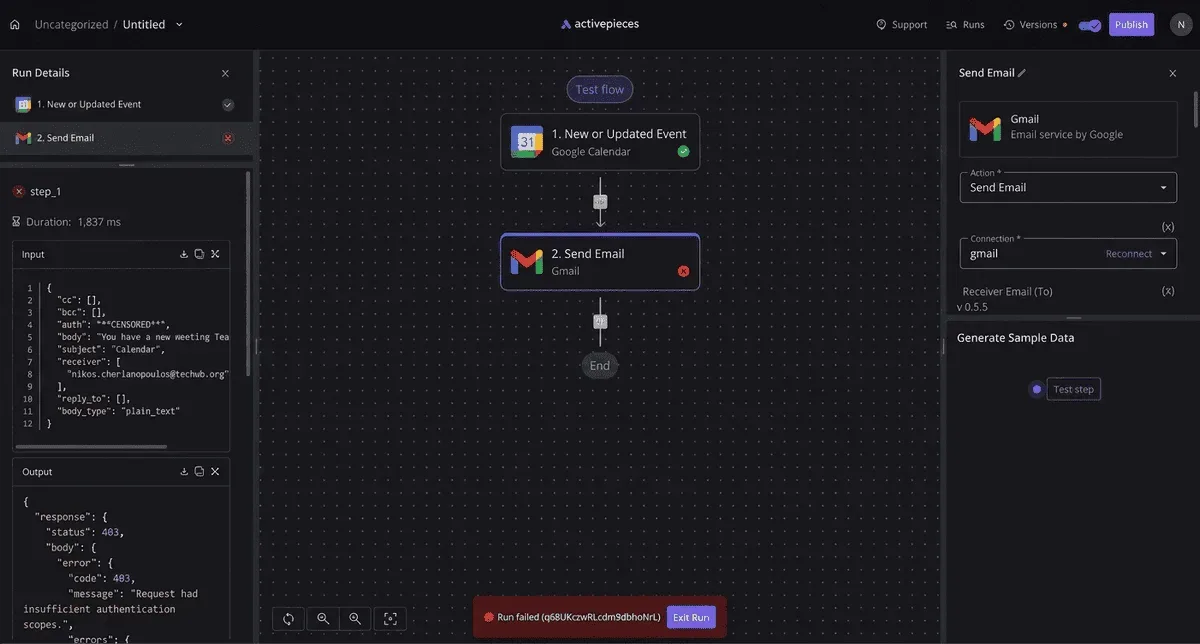
To maintain a persistent connection, the integration must use the OAuth 2.0 Web Server Flow with a designated Integration User profile, ensuring that access remains uninterrupted even when individual team members change roles, which prevents the system from breaking whenever a staff member leaves or transitions.
This profile needs "API Enabled" permissions and "Password Never Expires" toggled on. This prevents routine password rotations from breaking the handshake.
Fixing data validation and formatting errors
Data mismatches occur when the strict schema of NetSuite rejects the more flexible inputs allowed in Salesforce. Because NetSuite is the financial system of record, it requires specific formatting for currency, date fields, and mandatory custom segments that Salesforce might not enforce.
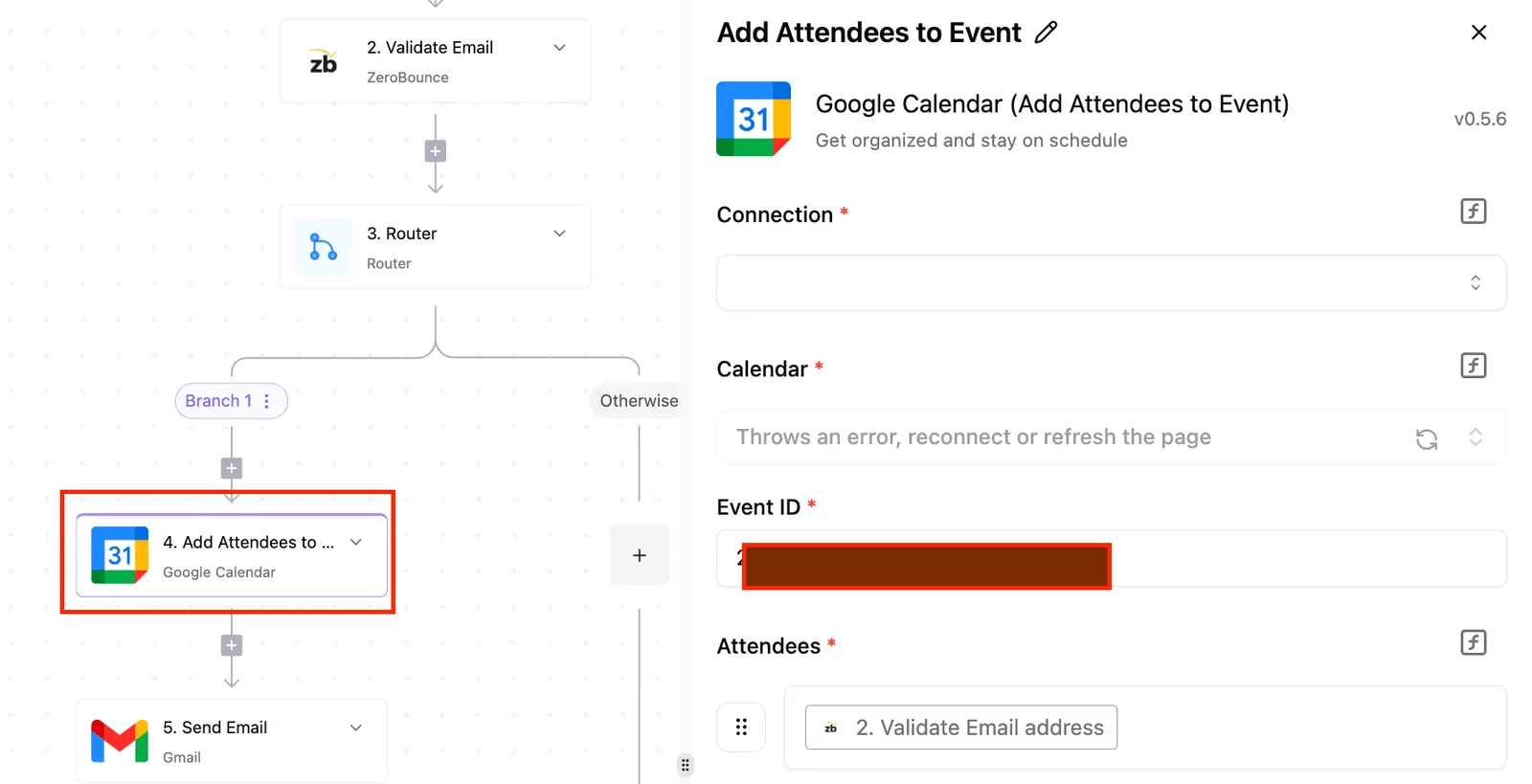
Standardize date formats to ISO 8601 strings before transmission to ensure the ERP correctly parses the month and day.
Map Salesforce picklist values to internal NetSuite ID numbers rather than string labels to avoid "Invalid Reference Key" errors.
Implement a pre-flight validation step in the automation layer that checks for required fields before the record reaches the NetSuite API.
Activepieces ensures these transformations are durable by syncing flows to Git and promoting them through Release Management. This moves the logic from a test environment to production as a versioned, reviewed asset rather than a private in-app change.
Check the Git Sync and Release Management documentation to see how this promotion becomes a deliberate, audited step in the software lifecycle.
Frequently asked questions about Salesforce NetSuite sync
Does Salesforce NetSuite integration require a middleware?
A middleware or automation runner is necessary to translate the disparate data structures of the two platforms into a unified schema that prevents record corruption.
Without an intermediary to queue and transform requests, a direct API call from Salesforce will fail. The call fails when NetSuite rejects a payload due to a missing mandatory financial segment.
To establish a secure handshake, your environment must meet specific technical prerequisites:
Salesforce Enterprise or Unlimited license provides the necessary API access limits to handle high-volume record updates without hitting daily governor caps.
NetSuite REST Web Services must be enabled to allow the external runner to communicate with the database using modern protocols.
Token-based Authentication (TBA) keys provide a secure connection method that doesn't expire like user passwords.
An automation runner is the execution engine that hosts the logic, mapping, and error-handling routines outside of the two primary applications.
By securing these components, you'll ensure that data flows through a controlled gateway rather than a brittle, hard-coded script.
How do I handle duplicate records during a sync?
Duplicate management must be enforced at the entry point of the receiving system to prevent the inflation of licensing costs and the fragmentation of customer history. Salesforce allows multiple "Leads" with the same email address while NetSuite requires a unique "Internal ID" for every entity.
The integration logic must perform a lookup before any "Upsert" operation. If a match is found based on a unique identifier (such as a Tax ID or a verified email string) the runner updates the existing record. Otherwise, it initializes a new entry.
What is the cost of the NetSuite SuiteTalk API?
The SuiteTalk API is included in the base NetSuite platform license, meaning there's no per-call fee that would penalize you for increasing your sync frequency. However, the throughput is governed by "Concurrency Limits." These limits dictate how many simultaneous connections can be open at once.
If an integration exceeds its allotted concurrent threads, NetSuite will issue a "400 Bad Request" error. This requires the automation runner to implement a retry strategy with exponential backoff. This ensures no financial data is dropped during peak traffic.
Build it
Set this up in minutes.
No code required. Connect your accounts, and Activepieces runs it from there.
Start free Talk to sales