Scribe v3 Launches: What ElevenLabs' Speech-to-Text Model Changes

Nov 12, 20269 min read
When ElevenLabs released Scribe v3, a speech-to-text model that turns recorded audio into text, it announced it on its own blog.
For anyone automating work, that makes it a new transcription step, and Activepieces runs flows, so you could slot it in place of whatever step does that job now.
ElevenLabs, the voice-AI company, is the maker. The release is dated on its blog post, and the maker's pages were last checked on 2026-11-12. The day itself is left out because it isn't confirmed here. Open the post if your change log needs one.
Because this is a fresh release, anything you read about it from third parties may lag the maker's own description.
What happened: ElevenLabs released Scribe v3
What sources cover Scribe v3 here
Most of what follows rests on two ElevenLabs pages, the blog and the models page, plus voicecost.net for rival prices.
No independent benchmark, review or forum post is used.
The models page describes two variants: Scribe v3 is a speech-to-text model for recorded audio, and Scribe v3 Live is its live variant for a streaming audio feed (both per the ElevenLabs models page, checked 2026-11-12).
That tells you which one fits a recording sitting in storage and which one fits a live call.
Pick on that distinction first, because it decides which one you wire in.
I left out the API model IDs because I couldn't confirm them. Copy them from the models page when you build, not from here.
Everything below works on Activepieces' free plan. Start without code or a credit card.
What new transcription models matter to automation teams
Every later step in a workflow, from the CRM note to the support ticket to the summary, can only be as good as the text it receives. That text comes from the speech-to-text model, the step that turns audio into text.
Every later step in a workflow, from the CRM note to the support ticket to the summary, can only be as good as the text it receives.
Per ElevenLabs' pages, Scribe v3 is a new option for that step, and they are the only evidence this article uses to judge it.
I would run one blunt prompt against any new model: "Here is a recording from our own line. Transcribe it, then tell me what you were unsure about."
The first answer is usually clean and wrong in the places that cost money, such as a product name, a postcode, or a customer's surname.
You learn whether the model is safe to wire in unattended from the second pass, asking where it was unsure.
Take the four checks below as the list to carry into any model's documentation, because they separate a demo from a dependable step:
- Accuracy on our audio: does it hold up on our own call recordings, accents and background noise, so that a call-to-CRM note doesn't carry the wrong account name?
- Languages covered: does the model's list include every language our callers use, so a voice note in one market doesn't quietly fail to become a ticket?
- Access route: is there an API model ID we can call from the workflow, so the step runs on its own instead of waiting for someone to upload a file?
- Price per audio hour: does the cost, multiplied by our monthly call volume, still make automating the meeting summary worthwhile?
Each question has an answer on the maker's pages, and the next sections take them in turn for Scribe v3.
What's measurably new in Scribe v3
27% fewer word errors than Scribe v2 on recorded audio across 102 languages: that is what ElevenLabs claims, per its launch post. Every figure below is the maker's own, not independently tested.
What ElevenLabs lists for Scribe v3 features
Scribe v3 is the recorded-audio model, and Scribe v3 Live is the low-latency realtime variant. The 27% batch cut, as ElevenLabs states it, means roughly one fewer wrong word in four.
For a voice workflow that acts on what was said, that second number matters more. The chart shows both headline cuts against the earlier models, as claimed.
[chart]
17% fewer errors on audio with three or more speakers, and 12% fewer in batch diarization overall: speaker labelling improves too.
Fewer misattributed lines means a meeting summary is less likely to assign an action item to the wrong person.
The smaller 12% shows that labelling gains are more modest than the word-accuracy gains, meaning users focused on labelling should expect less dramatic gains than those prioritizing word accuracy.
How to access Scribe v3 and pricing
The model overview page lists Scribe v3 among ElevenLabs' API models. The pages this article draws on don't spell out access routes or plan limits, so treat those as unstated. Confirm them on ElevenLabs' docs before you plan an integration.
The ElevenLabs Speech to Text page gives Scribe pricing starting from $0.22 per hour of transcribed audio, with no separate figure for Scribe v3 Live.
Cost is the one input you can't yet model, so get the number from ElevenLabs' pricing page before you size a pipeline.
Easier to see it running than to read about it: set it up free, no card.
What Activepieces has already shipped for Scribe v3
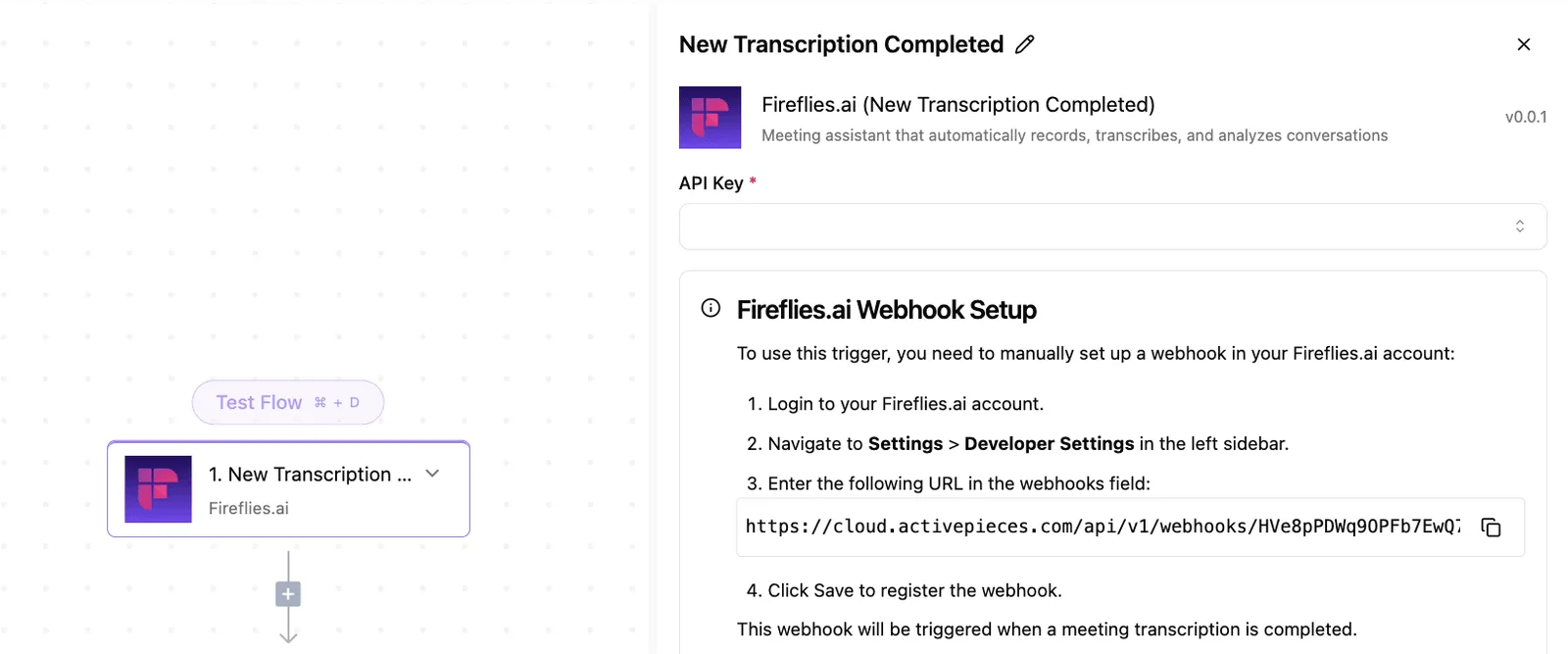
Nothing we can point to names Scribe v3 specifically, though Activepieces has an ElevenLabs integration. We haven't run Scribe v3 ourselves.
On 2026-09-30, Activepieces extended its ElevenLabs integration with 87 agent-facing AI actions and output schemas, reusing the existing API-key connection. Because the connection is the same, a team already calling ElevenLabs from a flow doesn't set up new credentials to try the new actions.
87 actions is a lot of surface, and the pull request is the only place we can confirm any of them; it doesn't say whether one is a Scribe v3 transcription step.
Custom integration fallback for Scribe v3
If the action isn't there, the Integrations admin page has a fallback. Its "Install a integration" dialog takes a package type of NPM Registry, a integration name and a version, and warns you to trust the author:
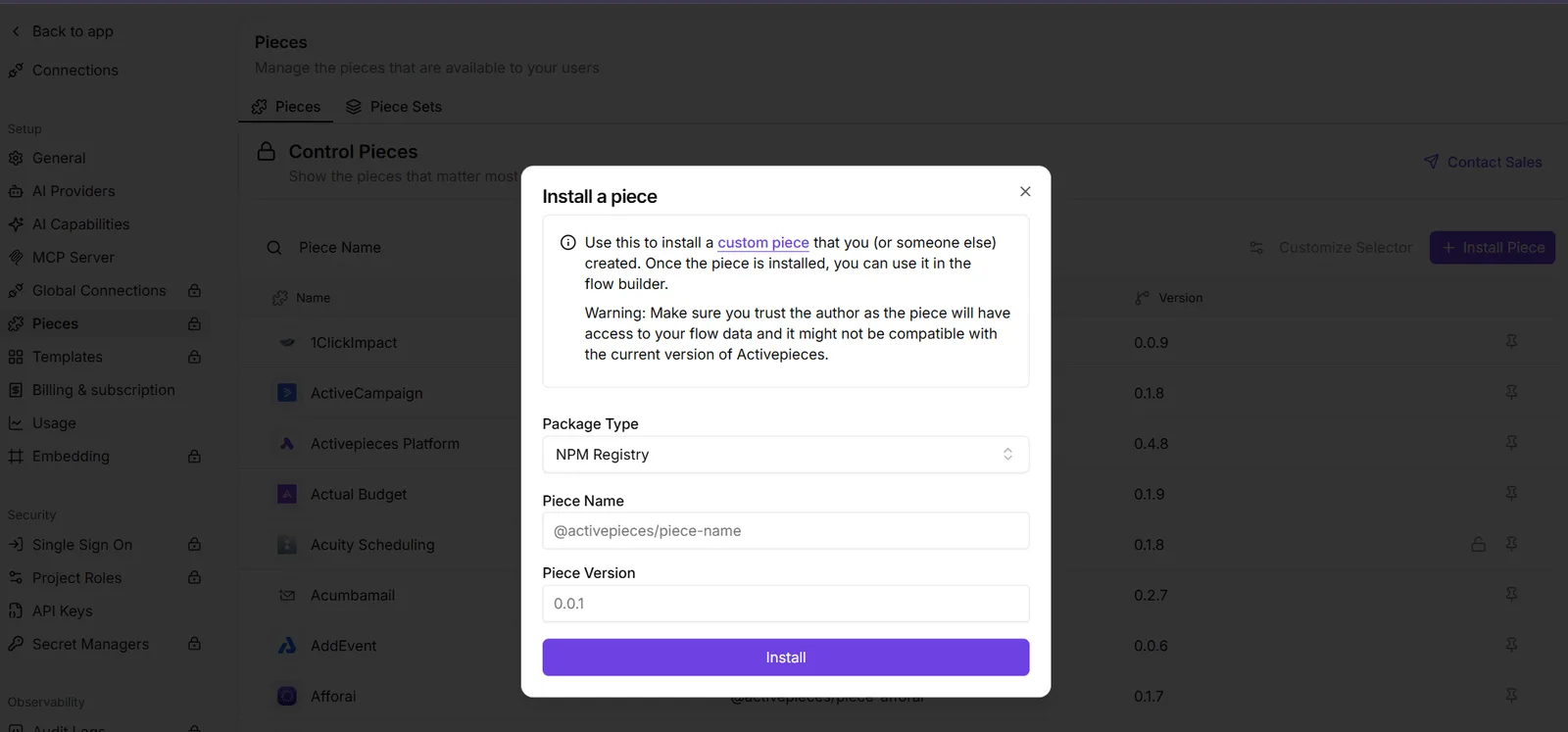
The warning matters here: a custom integration runs inside your workflows, so install only one whose author you'd give that access to. Once it's installed, it appears in the integrations list alongside the built-in ones.
Everything above comes from pull request 15981 and the admin screen. We didn't test the integration, call Scribe v3, or compare its output with anything.
Treat the pull request as proof the ElevenLabs integration changed on 2026-09-30, not as proof Scribe v3 works inside it.
What's Scribe v3's accuracy, cost and speed?
Whether Scribe v3 works inside your workflow is still untested, and the maker's pages only settle price and a self-run accuracy comparison; they don't say anything on speed.
ElevenLabs calls it its most accurate speech-to-text model for recorded audio, and that claim is the maker's own.
On ElevenLabs' own benchmark, Gemini 3.5 scores 12.4–18.5% word error rate, GPT-Transcribe 5.5–9.7%, and MAI-Transcribe-2 6.5–7.5%.
Each range is wide, so the result depends on language or dataset, and a rival's best case can beat its worst case by a lot. Run your own audio before trusting any of them.
List price per hour of audio
Deepgram Nova-3 is $0.258 an hour, AWS batch $0.36 and AWS streaming $0.60.

| Model | $ per audio hour | Stated latency | Source |
|---|---|---|---|
| Scribe v3 | — | not published | voicecost.net |
| AssemblyAI Universal-2 | 0.15 | not published | voicecost.net |
| GPT-Transcribe | — | not published | voicecost.net |
| Google Cloud V2 Dynamic Batch | 0.18 | not published | voicecost.net |
Prices and plan limits checked against elevenlabs.io and elevenlabs.io and elevenlabs.io and github.com on November 12, 2026.
Not one of the pages checked on 2026-11-12 states a latency figure for any of the four. Don't infer one from price or from the "recorded audio" wording. Time a sample file through each yourself.

What to watch next with Scribe v3
Recheck four pages after your timing test: the ElevenLabs changelog, its models page, its pricing page, and the ElevenLabs integration page in your workflow tool. Each one tells you whether the step you wired in has changed underneath you.
Because ElevenLabs makes Scribe v3, its own pages are the only record that settles questions about the model. I won't put a date on the release here, because I didn't confirm one.
If a dated entry exists, the changelog is where it would appear, and a date you read there is better than one repeated secondhand.
Everything in this integration rests on what ElevenLabs states on its own pages, as checked on 2026-11-12. That means a page can move after you read this.
A stale answer from me is worse than a blank. The four pages, and what to look for on each:
- ElevenLabs changelog: new entries that mention Scribe v3, especially anything about behavior, limits or deprecations that could break a step you've already built.
- Models page: the scribe_v3 entry, to confirm the model ID your workflow calls still matches and the description hasn't changed.
- Pricing page: the Scribe v3 rate. If it moves, your cost per hour of audio moves with it, so rerun your volume estimate.
- The ElevenLabs integration page in your automation tool: the list of actions. A longer list may mean a speech-to-text action you can drop in, and a shorter one means you may be building it by hand.
You need no prediction for any of these checks. Compare what each page says now with your notes from today, and rerun your sample file if any of them differ.