
Self-Host Mistral with vLLM for Private AI Automation

Oct 19, 202614 min read
By self-hosting Mistral through vLLM, you establish a private, high-throughput inference utility that eliminates the latency and data governance risks inherent in third-party API dependencies. This architecture transitions AI from an external experiment to a core infrastructure component you manage entirely within your corporate firewall.
Why vLLM beats standard Hugging Face inference
High-performance serving is the hallmark of vLLM, which utilizes PagedAttention to manage memory. This approach allows for significantly higher request concurrency than standard Hugging Face Transformers.
Memory waste is reduced by optimizing the Key-Value cache. This efficiency means your engineering team can pack more active sessions onto the same GPU cluster without degrading response times.
The case for Ministral 3 8B in business automation
Ministral 3 8B stands out as the optimal open-weight model for discrete automation tasks because it has a high ratio of reasoning capability to operational cost.
Docs notes that while frontier models like Claude Fable 5.1 are reserved for long-horizon agentic work, Ministral 3 8B handles the high-volume classification and extraction tasks that previously leaked sensitive data to external providers.
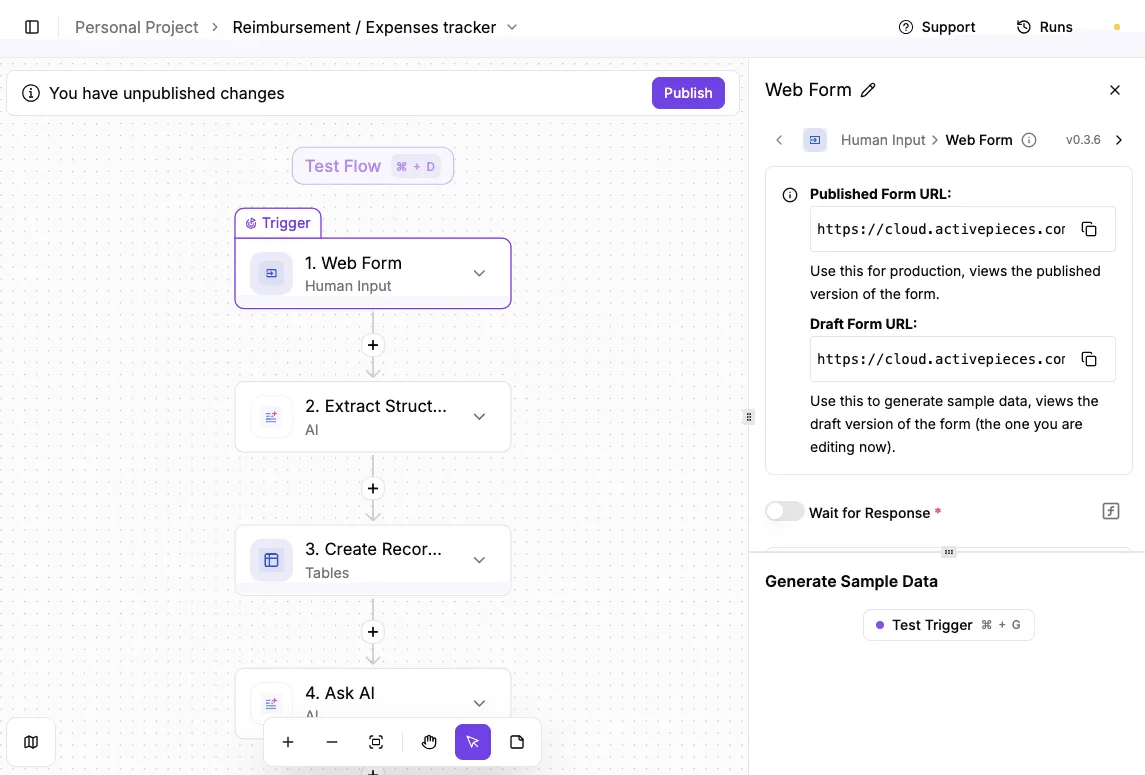
A platform that resells you a model has effectively dictated your AI strategy and its price before you ever open the editor.
Activepieces runs the Mistral instance you already deployed (using your own local endpoint and hardware) so that model spend remains a fixed infrastructure cost rather than a per-token markup.
A platform that resells you a model has effectively dictated your AI strategy and its price before you ever open the editor.
You can verify this by checking the Bring-Your-Own-Key availability on the Activepieces pricing page, which ensures the strategy remains yours to set rather than a vendor's to sell back to you.
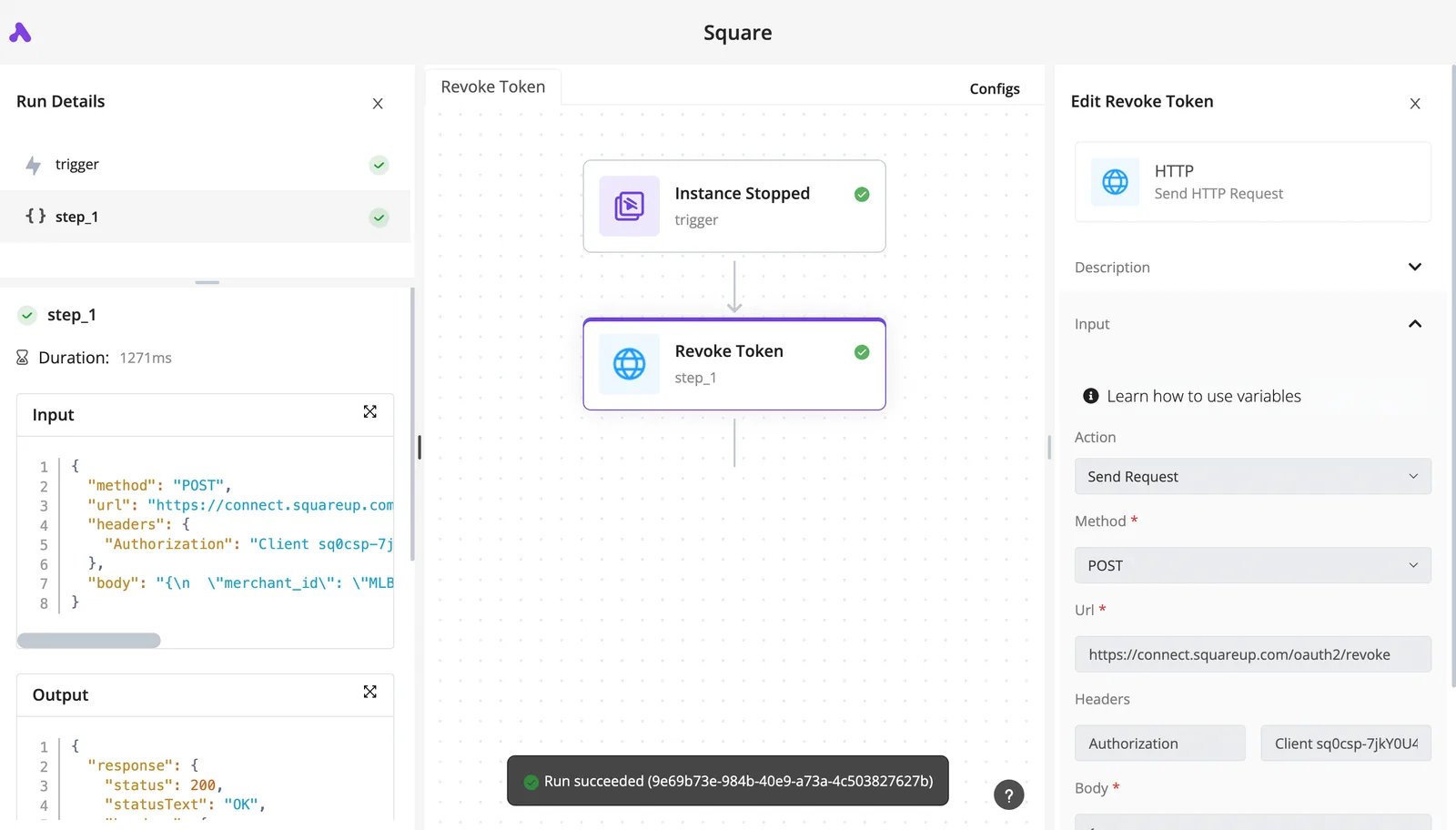
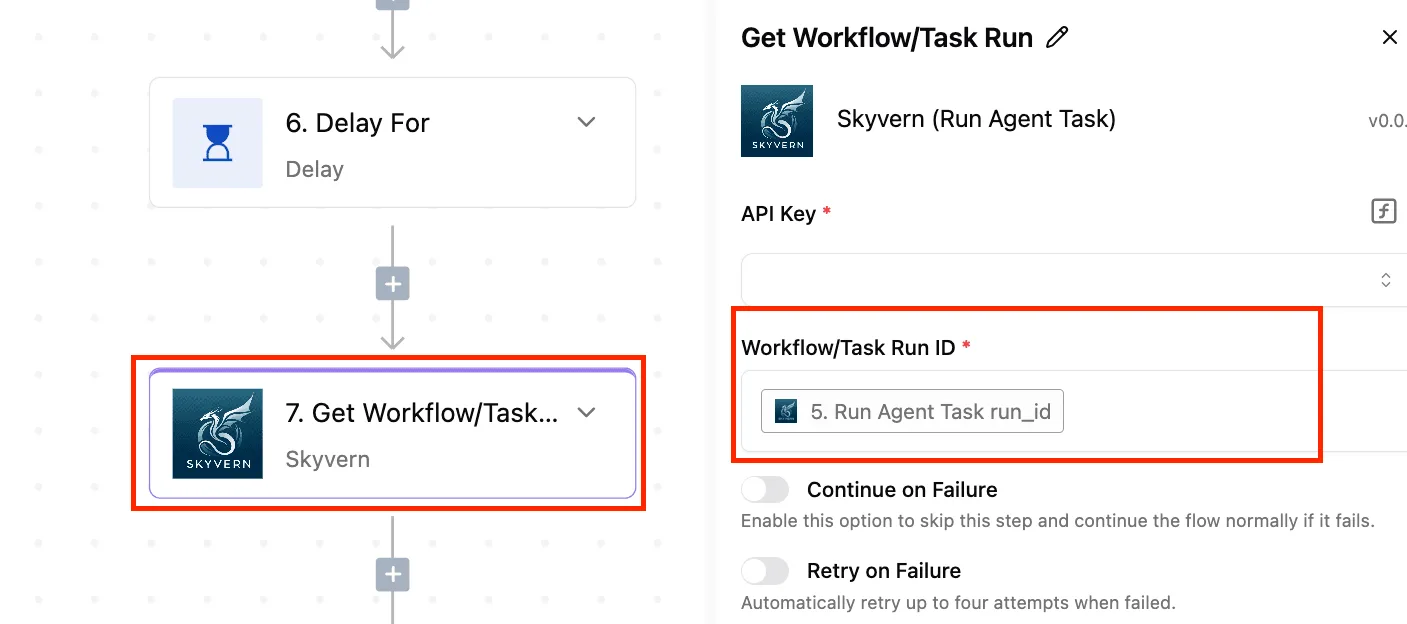
In just over one second, the inference engine successfully processes a request, as shown in a screenshot where a local trigger initiates a token revocation. This verified output proves that local models can match the responsiveness of proprietary APIs while maintaining a closed data loop.
Hardware requirements for local production hosting
Dedicated GPU resources with sufficient VRAM are required for production-grade hosting to hold both the model weights and the KV cache.
To maintain the throughput levels required by your finance and legal teams, your infrastructure must support NVIDIA A100 or H100 Tensor Core GPUs. These cards ensure the memory bandwidth necessary for real-time inference.
Cold starts are minimized by using NVMe storage drives to reduce the time spent loading model weights into memory. Finally, high-speed internal networking is necessary to prevent data transfer bottlenecks between the vLLM container and the application layer.
Everything below works on Activepieces' free plan. Start without code or a credit card.
Sizing your infrastructure for Mistral weights
Balancing model precision against the available Video Random Access Memory (VRAM) is the key to selecting the correct GPU hardware for Mistral 7B V03.
Understanding VRAM overhead for Mistral 7B
Quantization reduces the memory footprint of the model by compressing the numerical precision of the weights. According to data from CompareAIHardware, a 4-bit quantized version requires only 4.8 GB of VRAM, which means the model can run on consumer-grade hardware with limited memory.

As precision increases, the 5-bit version occupies 5.7 GB and the 6-bit version reaches 6.6 GB, which means you must allocate nearly an extra gigabyte of VRAM just to improve model fidelity.
These increments represent the trade-off between memory consumption and the model's ability to retain nuanced linguistic patterns during complex reasoning tasks.
Mistral quantization versus FP16 VRAM tradeoffs
Choosing between compressed weights and full precision is a choice between hardware density and output fidelity. While the 8-bit quantized model requires 8.5 GB of VRAM, moving to unquantized FP16 requires 16 GB. This jump represents exactly double the memory for the same parameter count.
An unquantized Mistral 7B occupies the entire capacity of an NVIDIA RTX 4080.
This leaves no room for the KV cache needed to handle long-context windows or high-concurrency requests. To ensure your finance and legal teams achieve consistent sub-second latency, your infrastructure must be provisioned according to these specific weight requirements.
| Quantization Level | VRAM Requirement | Hardware Fit |
|---|---|---|
| Q4_K_M (4-bit) | 4.8 GB | Entry-level / Edge devices |
| Q5_K_M (5-bit) | 5.7 GB | Mid-range workstations |
| Q6_K (6-bit) | 6.6 GB | Standard Enterprise GPUs |
Prices and plan limits checked against docs.claude.com and openai.com and gemini.google on October 7, 2026.
Physical limits of the provisioned instances will not be exceeded if you follow this mapping. Once the weights are sized, the focus shifts to optimizing the serving engine for concurrent user demand.
Choosing the right Mistral model size
The Mistral family offers different tiers to match specific enterprise needs, ranging from the lightweight Ministral 3 3B to the massive Mistral Large 4.
For high-speed internal utilities, Mistral Small 4 provides a balance of intelligence and speed, while Ministral 3 14B offers a middle ground for more complex reasoning.
Using the correct model version ensures compatibility with the vLLM engine and your hardware constraints. Mistral Large 4 is the current flagship for complex agentic workflows, whereas Ministral 3 8B remains a common choice for high-throughput classification.
Reconciling hardware tiers with production needs
While the 4-bit and 6-bit versions of Mistral 7B can technically fit on entry-level GPUs like the NVIDIA T4 or A10, these cards are often insufficient for multi-user production environments.
The VRAM must accommodate not just the model weights, but also the KV cache for every concurrent request.
For a single-user developer environment, a 16 GB or 24 GB GPU is sufficient for quantized models.
However, to achieve the enterprise-grade throughput required for hundreds of automated workflows, the high memory bandwidth of an A100 or H100 is necessary to prevent the system from becoming a bottleneck.

Deploying the vLLM container on your server
Standardizing the deployment environment ensures that the model performs consistently across development and production hardware.
Preparing the host environment
Configuring the production package repository ensures the system pulls signed, enterprise-grade binaries. You must add the NVIDIA GPG key and the repository list to your package manager to establish a trusted path for the drivers.
curl -fsSL https://nvidia.github.io/libnvidia-container/gpgkey | sudo gpg --dearmor -o /usr/share/keyrings/nvidia-container-toolkit-keyring.gpg
curl -s -L https://nvidia.github.io/libnvidia-container/stable/deb/nvidia-container-toolkit.list | \
 sed 's#deb https://#deb [signed-by=/usr/share/keyrings/nvidia-container-toolkit-keyring.gpg] https://#g' | \
 sudo tee /etc/apt/sources.list.d/nvidia-container-toolkit.list
Installing the nvidia-container-toolkit package enables the container runtime to interface with the GPU driver. This bridge is what allows Docker to pass physical hardware instructions from the isolated container to the Tensor Cores.

sudo apt-get update
sudo apt-get install -y nvidia-container-toolkit
Restarting the Docker daemon applies the new runtime configuration. This step is mandatory for the system to recognize the NVIDIA runtime as a valid execution environment for incoming containers.
sudo nvidia-ctk runtime configure --runtime=docker
sudo systemctl restart docker
Pull and run the vLLM Mistral image
Launching the vLLM serving engine allows your infrastructure team to encapsulate the entire software stack into a single immutable unit.
- Execute the
docker pull vllm/vllm-openaicommand for the vLLM repository to cache the runtime locally. - Use the
docker runcommand with the--gpus allflag to grant the container full access to the hardware accelerators. - Map the internal container port to the host network so that internal microservices can reach the model.
- Specify the
mistralai/Mistral-7B-Instruct-v0.3model identifier to trigger the automatic download of the weights from the HuggingFace repository.
Verifying hardware compatibility for large models
Deploying the Mistral-Large-Instruct-2407 model requires a massive hardware jump compared to the 7B variant.
While Mistral 7B fits on a single 16GB card, the Large model requires over 300GB of VRAM in FP16 or approximately 80GB even when quantized to 4-bit, which means running the full-precision version necessitates a massive, multi-node server infrastructure.
Attempting to run the Large model on the hardware sized for 7B will result in immediate Out of Memory errors.
Ensure your cluster utilizes multiple A100 80GB cards in a multi-GPU configuration before attempting to serve the Large model tier, so that you avoid inevitable out-of-memory crashes during inference.
Step 3: Verify the OpenAI-compatible API endpoint
Validating the REST API ensures that the model is ready to accept requests from existing applications without requiring custom integration code.
Because vLLM mimics the OpenAI API schema, your data science team can swap third-party providers for this internal utility by changing a single environment variable.
When a curl request to the /v1/models endpoint succeeds, it confirms that the orchestration layer is healthy and the Mistral weights are fully loaded into VRAM.
Easier to see it running than to read about it: set it up free, no card.
Optimizing vLLM throughput for concurrent requests
vLLM maximizes enterprise request volume by utilizing a specialized memory management engine that eliminates the fragmentation typical of standard inference servers.
How vLLM's PagedAttention boosts throughput
The PagedAttention algorithm allows the system to store Key-Value (KV) caches in non-contiguous memory blocks. This method ensures that no physical memory is wasted during long-context generation.
PagedAttention allows the system to map logical memory to physical blocks on demand, effectively fitting more concurrent users onto a single H100 or A100 instance.
Hardware saturation is achieved without triggering out-of-memory errors. By decoupling the logical KV cache from physical memory, your infrastructure team can maintain high occupancy even as request lengths vary across different departments.
Configuring GPU memory utilization limits
The gpu_memory_utilization parameter is the primary lever for balancing model stability against the overhead of auxiliary monitoring tools. By default, vLLM attempts to claim nearly all available VRAM.
Mistral Small 4 requires a lower utilization ceiling to leave headroom for the operating system's drivers. Mistral Large 4 deployments on multi-GPU nodes require precise limits to ensure the NCCL communication backend has enough buffer space.
Monitoring vLLM metrics with Prometheus and Grafana
The vLLM engine exposes a native metrics endpoint that allows your Platform Engineering team to track real-time saturation through your Prometheus time-series database.
Monitoring the "KV Cache Usage" metric is a leading indicator of when you must trigger an autoscaling event to prevent latency spikes for internal users.
Automate Mistral workflows with Activepieces
Activepieces allows the deployment of private automation logic by connecting self-hosted Mistral endpoints to internal business data without routing traffic through third-party cloud integrators.
With an MIT-licensed core and 738+ integrations, the platform provides a transparent foundation for connecting your private inference engine to the rest of your internal software stack.
Connecting the OpenAI-compatible integration to a local URL
The OpenAI integration is a universal bridge to any vLLM instance serving Mistral Large 4. By overriding the default base URL in the connection settings, the platform redirects all API calls to the internal vLLM container address.
This configuration ensures that sensitive prompts never leave the local network. This setup prevents the accidental exposure of proprietary intellectual property to public model providers.
Building a private document summarization workflow
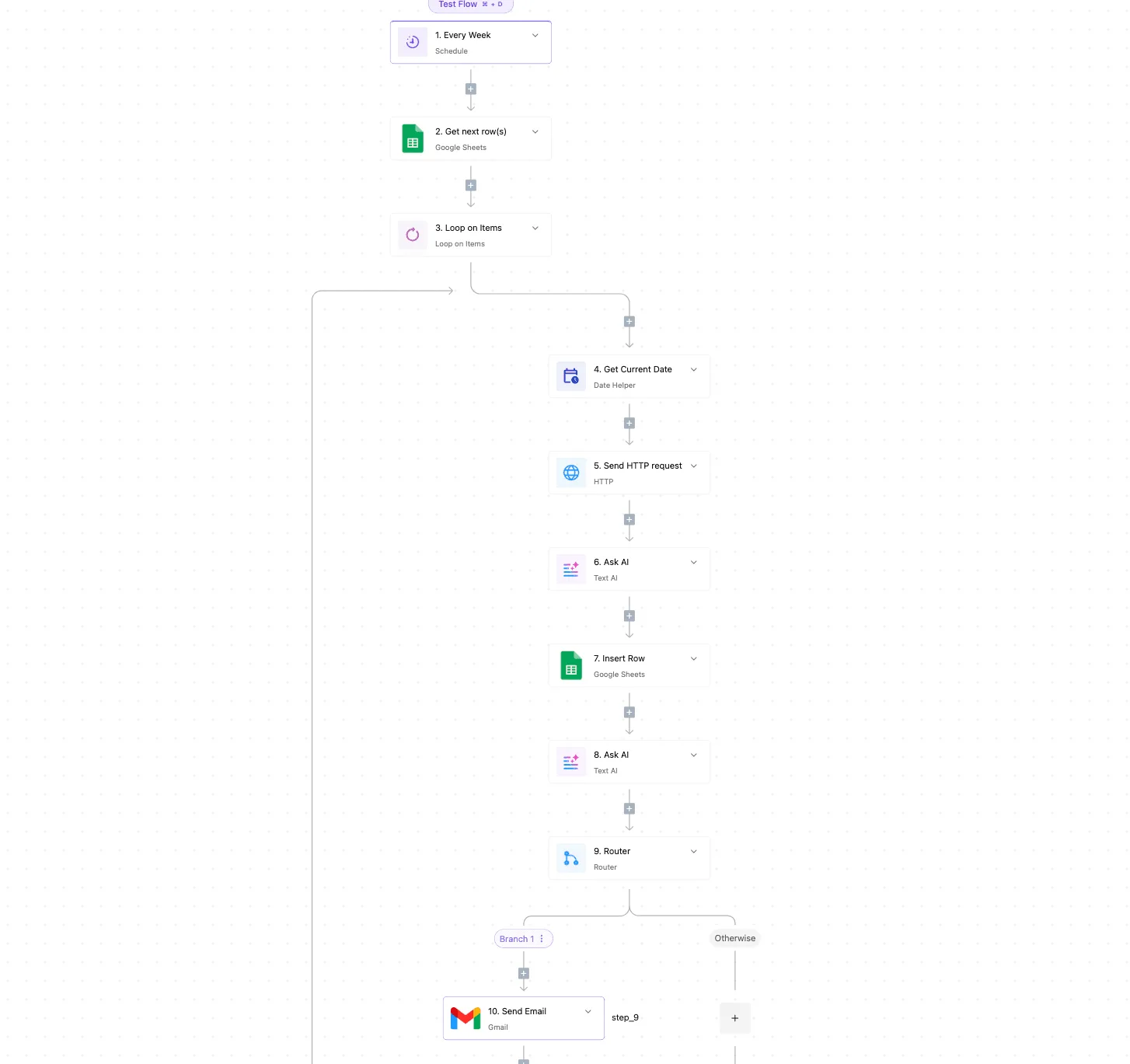
At your pilot site, the engineering team successfully replaced external API dependencies by chaining local triggers to the Mistral inference node to handle high-volume document processing.
Every credential Activepieces touches (from the vLLM API key to the connection secrets for your internal databases) can be routed to your own secret manager rather than our database.
The same secret-manager integration is listed alongside SCIM and audit logs in the enterprise governance feature set, allowing you to verify that credentials never reside in the automation platform's storage.
Once triggered, Activepieces passes the content to the self-hosted Mistral Small 4 for summarization, then writes the output back to a local database.
Securing the API endpoint with local authentication
Enforcing strict access controls on the vLLM endpoint is the final step in the adoption curve to prevent unauthorized internal usage.
Companies like MoneyGram and FundingSocieties run Activepieces in production to manage these types of complex automation environments where data sovereignty is a requirement.
By configuring a static API key within the vLLM environment variables and mirroring that key in the Activepieces connection vault, your infrastructure team can monitor exactly which automated flows are consuming GPU resources.
Maintaining private AI infrastructure
Maintaining a private AI stack requires a transition from experimental deployment to a rigorous lifecycle management phase where stability is treated as a prerequisite for user trust.
Setting up automated container restarts
Orchestrating automated restarts via a container management tool like Kubernetes ensures that the inference service recovers immediately from memory fragmentation or driver hang-ups. Without these health checks, a single stalled request can lock a GPU indefinitely.
Implementing a liveness probe that pings the model endpoint every few seconds allows the system to recycle the container automatically. The model remains available even if the underlying process encounters a non-recoverable error.
Tuning vLLM latency versus throughput tradeoffs
Optimizing the vLLM engine involves a trade-off between how fast a single user gets an answer and how many total users the system can support simultaneously.
Prioritizing high throughput allows you to serve hundreds of concurrent requests for high-volume tasks like document classification, so your system can maintain responsiveness even during extreme traffic spikes.
Focusing on low latency is necessary for real-time interactions using models like Mistral 7B v0.3.
Auditing request logs for data leakage prevention
Regular audits of the local request logs act as the final barrier against sensitive information entering the model’s context window.
- Review logs for high-frequency patterns to identify automated scripts that bypass standard UI guardrails.
- Compare input prompts against a list of restricted internal project names to flag potential policy violations.
- Validate that the PII-scrubbing middleware is correctly identifying and masking social security numbers.
Frequently asked questions about self-hosting Mistral
Can I run this on a consumer-grade GPU?
Running Mistral Large 4 or Ministral 3 8B on consumer hardware is only possible if you apply heavy quantization to fit the model into the available Video Random Access Memory (VRAM).
When the model size exceeds the VRAM, the system triggers a CUDA out-of-memory error, which halts all inference until the process is killed.
For stable internal utility, you utilize 4-bit quantization. This reduces the memory footprint so that a single high-end consumer card can serve requests without offloading to the much slower system memory.
How does vLLM compare to Ollama for production?
vLLM is the engine for your production environment because it utilizes PagedAttention to handle concurrent requests.
While Ollama is excellent for local experimentation, it lacks the continuous batching capabilities required to prevent a queue backup when multiple departments query the model simultaneously. vLLM provides the throughput necessary for multi-departmental scaling.
Does self-hosting actually save money over GPT-6 Astra?
Self-hosting moves AI costs from a variable operational expense to a fixed capital expenditure, which eliminates the "success tax" of high-volume usage. When you hit peak adoption, the cost per token on external models like GPT-6 Astra scales linearly with every prompt.
Whether it processes one request or a thousand, your vLLM instance costs the same. This shift allows your Data Science team to run massive synthetic data generation tasks that would otherwise exhaust a monthly API budget in hours.

How do I secure the vLLM API from external access?
Securing the vLLM endpoint requires placing the container behind a corporate Virtual Private Network (VPN) or a Zero Trust Network Access (ZTNA) gateway. By default, the vLLM server listens on all network interfaces.
Anyone on the internet could query your internal data if a port were exposed. You enforce authentication at the gateway level so that only verified employee identities can reach the model.