Cloudflare Workers Automation: Free vs Paid Limits

Nov 10, 202614 min read
There's no server for you to keep alive when a Worker has a Cron Trigger, Queue or Workflow, because it runs your code on a schedule or when an event arrives, much as an automation tool like Activepieces runs a flow only when its trigger fires.
Cloudflare Workers automation is the practice of using Workers, Cloudflare's serverless code platform, with Cron Triggers, Queues and Workflows to run business tasks on a schedule or in response to events, without managing a server.
This page is current as of 10 November 2026, and the limits behind each option are the part most likely to have moved since.
Understand Cloudflare Workers automation
What you will have working in 20 minutes
The whole build is three parts, each doing one job.
- A Cron Trigger, which wakes the Worker on a schedule you define.
- A secret, which holds an API key outside your code so it never sits in the repository.
- A fetch call, which sends the actual request to the other app and returns what it said.
Cron Triggers, Queues, Workflows and HTTP compared
This walkthrough uses a Cron Trigger because it needs no incoming traffic to test.
| Option | What starts it | Best suited to |
|---|---|---|
| Cron Trigger | A schedule | Recurring checks and syncs |
| Queue | A message from another Worker | Work you want to retry or spread out |
| Workflow | A call that begins a multi-step run | Steps that must resume after a failure |
| HTTP request | A call from another system | Webhooks and on-demand jobs |
What you need before starting
You need a Cloudflare account, Node.js installed locally, and the Wrangler command-line tool, which creates and deploys Workers. You also need one API key for the app you want to call.
For a process that spans many connected apps, Activepieces lets you describe it instead of coding it, drawing on 747 integrations, so you don't have to write the integrations yourself, and a later section takes it up.
This route suits one job against one or two apps.
The fastest way to settle a shortlist is to try one. Activepieces is free to try, no credit card.
Create and deploy a Worker with Wrangler
You install Node, scaffold a project with npm create cloudflare@latest, check three lines of config, log in, run wrangler deploy, and open the workers.dev address it prints. The Worker then answers requests.
- Install Node.js, a current release, and confirm with
node --version. - Run
npm create cloudflare@latestand pick the plain "Hello World" Worker when prompted. - Open the wrangler config file in the new folder and check
name,mainandcompatibility_date. - Run
npx wrangler login. A browser tab opens so you can authorize the CLI against your account. - Run
npx wrangler deploy. - Open the
workers.devURL printed at the end of the deploy output.
When step six returns the starter's greeting, the deployment works.
Create a Workers project and log in
Accept the defaults for a first Worker.
Log in before you deploy. Without credentials, the deploy stops at an authorization error, and in a non-interactive shell such as a CI runner you'll need an API token instead of the browser prompt.
Understand the Wrangler config file for Workers
Three fields matter here.
In the dashboard, and as the first part of its workers.dev address, the Worker goes by name. Rename it later and you get a second Worker, not a renamed one, so the old one keeps running.
Point main at the entry file. If it points at a path that doesn't exist, the deploy fails. If it points at the wrong file, the deploy succeeds and runs the wrong code.
Leave compatibility_date alone until you have a reason to move it. It pins the runtime behavior your Worker expects.
Deploy a Worker and check the dashboard
Once wrangler deploy has bundled the code, uploaded it and printed the live URL, paste that URL into a browser and you should see the starter response.
Then open the Workers list in the Cloudflare dashboard and find the Worker under the name from the config.
If the terminal says success but the list is empty, you're logged into a different account than you think.
Add a Cron Trigger and a secret
Make three changes and the Worker runs without anyone calling it: a scheduled handler in the code, a crons entry in the wrangler config, and an API key stored as a secret instead of pasted into the file.
Export only fetch and the Worker will never run on a timer. Add a scheduled function beside it, and it receives the environment, where bindings and secrets live.
export default {
 async scheduled(controller, env, ctx) {
 const res = await fetch("https://api.example.com/v1/orders", {
 headers: { Authorization: `Bearer ${env.API_KEY}` },
 });
 console.log("status", res.status, "scheduled for", controller.scheduledTime);
 },
};
Set the cron expression and know it runs in UTC
Add the schedule to the wrangler config under triggers:
"triggers": { "crons": ["0 7 * * *"] }Cron Triggers evaluate in UTC, with no local time zone setting. Write the local hour for a job meant for the start of your working day and it will fire hours away from it.
To test before deploying, run npx wrangler dev --test-scheduled and request /__scheduled on the local port.
Store the API key as a secret, not in code
Run npx wrangler secret put API_KEY and paste the value when prompted. It's stored encrypted on Cloudflare and appears in the handler as env.API_KEY. A key written into the source ends up in version control, where it stays after you delete it.
For wrangler dev, put the same name in a .dev.vars file in the project folder, and keep that file out of git.
Check the run in observability logs
Add "observability": { "enabled": true } to the config and deploy with npx wrangler deploy. In the dashboard, open the Worker's Settings and then Triggers to confirm the cron entry is listed. After the next scheduled time passes, open Logs and find the invocation.
You should see your status line with the response code from the external API. A missing entry usually means the expression was read in UTC and hasn't fired yet.
An entry showing an error status usually means the secret was never set on the deployed Worker.
Reading a table only gets you so far. Build the same workflow in Activepieces and compare it yourself.
Fix Cloudflare Workers limits and errors
Past a missing secret, most Workers failures are a limit being hit, and every limit has a published number you can check before you write the script.
Cloudflare Workers limits on Free and Paid
On the Free plan a Worker gets 0.01 seconds of CPU time per invocation, according to Cloudflare's limits page. That's 10 ms.
| Limit | Workers Free | Workers Paid | Source page |
|---|---|---|---|
| CPU time | 10 ms | 30 s default | Cloudflare limits page |
| Subrequests per invocation | 50 | 10,000 | Cloudflare limits page |
| Cron Triggers per account | 5 | 250 | Cloudflare limits page |
| Worker size (uncompressed) | 64 MiB | 64 MiB | Cloudflare limits page |
| Included requests | 100,000 per day | 10 million per month | Cloudflare limits page |
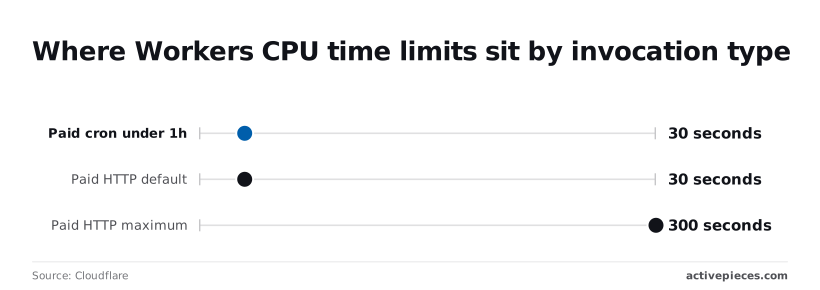
On Paid, CPU time isn't one number. Cloudflare specifies that HTTP requests default to 30 seconds and can be raised to a 300-second maximum, meaning operations exceeding five minutes will fail.
Per Docs, cron runs under an hour get 30 seconds, and crons at one hour or more get 900 seconds. So the same code can pass on a nightly schedule and fail when triggered by a webhook.
Fix Workers CPU time and subrequest errors
When the error reads "Exceeded CPU time", your code computed for longer than the plan allows; time spent waiting on a response doesn't count. Fix it by moving heavy parsing out of the request path, or by raising the CPU limit on Paid.
When one invocation makes more than 50 outbound calls on Free, you get "Too many subrequests". Looping over a list of 80 records and calling an app's API for each is the usual cause.
Batch the calls, or upgrade to the 10,000 ceiling.
Cron did not fire or fired twice
When a cron never fires, it's usually one of three things. The trigger exists only in local config and was never deployed, the expression was written in local time when Cloudflare evaluates it in UTC, or the account has used its 5 Free triggers.
When a cron appears to fire twice, it's most often two deployed Workers carrying the same schedule, which means your job runs twice.
Fix undefined secrets and bindings in Workers
When env.API_KEY is undefined, the Worker deployed without it. Secrets set for one environment don't carry to another, so a staging secret won't reach production. Run wrangler secret put API_KEY against the right environment.
Check that the binding name in your config matches the property you read, character for character. Redeploy, then confirm in the logs that the error status is gone.
When to use Queues or Workflows
Add Queues or Workflows when a job outlives one request or must retry after failure. A cron trigger alone is enough only while each run is short and safe to repeat.
A cron-triggered Worker hits a limit halfway through, the run ends, and nothing retries it. The next scheduled run starts from scratch, and the half-finished work sits in your data until someone notices.

Move retries and long jobs to Queues or Workflows
Send one message per task and let consumers process them in batches, and Queues suit work that arrives as many small, independent messages. A failed message can be retried without rerunning everything.
Workflows suit work that's one long sequence of steps, where each completed step is saved and a failure resumes from the last good step.
Neither one stores your business data. Keep that in KV for simple lookups, D1 for relational records, or Durable Objects when one entity needs a single coordinated owner.
| Option | Best for | Where state lives | Key limit | Who owns it |
|---|---|---|---|---|
| Cron only | Short, repeatable jobs | Your own KV or D1 writes | One short run, no built-in retry | A developer |
| Queues | Many small tasks, retries | Messages in the queue, results in D1 or KV | Caps on message size and batch size | A developer |
| Workflows | Long, ordered, multi-step jobs | Saved step state per run | Cap on steps per run | A developer |
| Activepieces by webhook | Multi-app processes | Its own run history | Bounded by its plan and the Worker it calls | A non-developer |
Because Cloudflare bills these products on usage, and the rates and included allowances change, check Cloudflare's pages for current figures.
Check Cloudflare's pricing page on the day you decide, and record the date next to your estimate so the next reader knows how old it is.
What Activepieces does about this
The cost this article keeps returning to is not the first script.
It is the person who has to read the limits table, notice that 80 records will break a 50-subrequest ceiling, and still be around to maintain the script when the process grows from one app to six, so they're stuck with a known breaking point getting closer as the system scales.

Activepieces is built to take that work off the developer when the process spans many connected apps. You describe the process in plain language in the built-in chat, and it publishes a live flow in your account instead of handing you code to host.
The flow is not a sandbox toy. It runs under the same RBAC and audit logs as one someone assembled by hand, and every execution leaves a run trace of each step it took.
When a run fails, the owner reads the trace and sees which step stopped and why, with no repository to open and no log query to write.
It draws on 747 integrations, so the per-app API calls you would otherwise write and keep current are already there. MoneyGram, Moneypenny, Alan and FundingSocieties run it in production.
Activepieces is open source under the MIT licence for its community edition, so you can read what runs your process and self-host it if your data has to stay in your own infrastructure. It also doesn't ask you to abandon Workers.
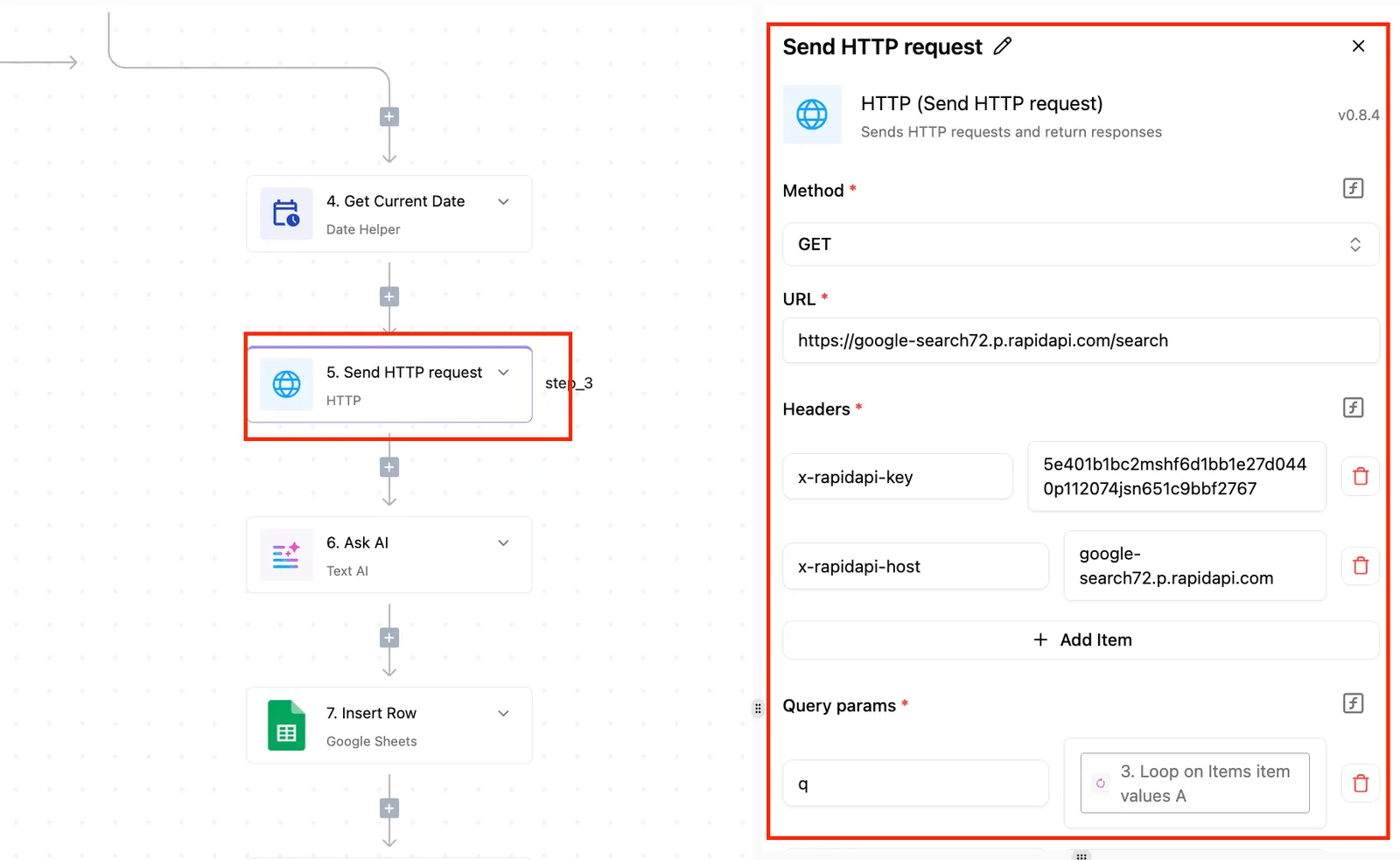
A flow can call a Worker by webhook, so the one step that really needs custom code stays in a Worker, and the sequencing, retries and hand-offs between apps live in the flow.
Keep the scheduled Worker for the single-app job it suits, and use Activepieces when the process is the product and the person who understands it isn't a developer.
Frequently asked questions
Once the pricing date settles what you pay today, five questions about limits and testing stay open. Each answer below names its Cloudflare docs source or says where to check.
Can Cloudflare Workers run a job every minute?
Yes, in the sense that a Cron Trigger accepts standard cron expressions, and a schedule at the finest granularity cron syntax allows is valid.
The catch is that a scheduled run has its own CPU limits, separate from those of an HTTP request, so a job that fits once may fail when it overlaps with itself.
Source: Cron Triggers in the Workers docs. Check the current limit on triggers per Worker for your plan.
Is Cloudflare Workers automation free?
On the free plan, small scripts are covered, but daily request caps and tighter CPU limits apply.
A script that works in testing can start returning errors once real traffic or a larger schedule pushes past the daily cap, and nothing in your code will have changed.
Source: the Workers pricing and limits pages. Check both on the day you decide, as the previous section said.
Can a Worker run longer than its CPU limit?
Not within a single invocation. The limit applies to CPU time, not the clock, so waiting on a slow response from another app doesn't count against it, but parsing, transforming and looping do.
For work that outgrows one invocation, Cloudflare offers Queues, Workflows and Durable Objects, each of which you then have to design, deploy and maintain. Source: the Workers Limits page. Check which plan's CPU ceiling applies to scheduled runs.
How do I test a Cron Trigger without waiting for it?
Run the Worker locally with Wrangler's scheduled-testing option, then send a request to the local scheduled route. That fires your scheduled handler on demand.
A pass locally isn't proof of a pass live, because the local run doesn't reproduce production data or secrets. Source: the "Test Cron Triggers" section of the Cron Triggers docs. Check the exact flag against your installed Wrangler version.
Can any tool call a Worker?
Because a Worker answers requests at its URL, any tool that can send an HTTP request can call it. Protect that URL with a secret header or token, or anyone who finds it can start your job.
Source: the Workers fetch handler docs. Whether a ready-made connector exists isn't covered by Cloudflare's docs, so check the tool's own documentation.
Related reading
References
Still comparing
The fastest way to settle it is to build something.
Open source under MIT, so you can self-host the same thing later.
Start free Talk to sales